PR summaries for coding bootcamp instructors: complete 2026 guide
Use PR summaries for coding bootcamp instructors as delivery evidence, not teaching scores. Find merged work, add context, and protect private repository data.

Coding bootcamp instructors’ PR summaries are records of merged GitHub pull requests that help you explain your coding contributions, curriculum changes, and teaching-related development work. This guide shows you how to build that record for a 2026 performance review or job search without treating merged PR counts as evidence of student learning.
Why PR summaries matter for coding bootcamp instructors
An instructor’s development work needs context. A merged change to a starter repository, an exercise correction, and a reference implementation describe different contributions, even when each appears as a single pull request.
Your summary should explain what changed and why the change mattered to your teaching responsibilities. The merge establishes that code entered the repository; it does not establish that students understood the lesson or that the change improved learning outcomes.
For a 2026 review, keep a delivery record alongside your teaching evidence. The same distinction applies when preparing self-review summaries from GitHub PRs: repository history supplies source material, while you supply the explanation.
Use PR summaries as personal delivery history, not a productivity score. Compare the record with your own responsibilities, not another instructor’s merge count. Someone maintaining assessment fixtures has a different task from someone revising lecture examples.
Build your instructor PR summary
1. Define the purpose and reporting window
Start with the decision your summary needs to support. A performance review needs evidence of your contributions and responsibilities. A job application needs a concise explanation of relevant technical work. A curriculum handoff needs enough detail for another instructor to understand the changes.
Choose the window before searching. For example, use 1 calendar month for a recurring delivery record, then combine those records when preparing a longer review. This is a reporting choice, not a benchmark for how much an instructor should merge.
Define whose work belongs in the summary, too. Your authored PRs, changes you reviewed, and student submissions are separate categories. A personal authored-PR summary should not absorb contributions just because they appear in a repository you maintain.
Write the boundary at the top of your working document. That small note prevents a later reader from assuming the summary covers every teaching activity.
- State the purpose: performance review, job search, or curriculum handoff.
- Record the start and end dates.
- Identify the repositories within scope.
- Separate authored work from review and mentoring work.
- Label the record as merged work rather than all work completed.
2. Find your merged PRs with GitHub search
Use GitHub search first when you need an occasional lookup. GitHub supports pull-request filters for author, merge status, merge date, repository, and organization. These filters let you define the collection instead of browsing an unfiltered activity feed.
For January 2026, a starting query is is:pr is:merged author:YOUR_USERNAME merged:2026-01-01..2026-01-31. Replace YOUR_USERNAME with your GitHub username. Add repo:OWNER/REPOSITORY when the summary covers a particular repository, replacing the owner and repository with their actual names.
Use the merge-date filter rather than treating the creation date as delivery. A PR opened before the reporting window can merge inside it. Conversely, a PR opened during the window can remain unmerged and therefore fall outside a merged-work summary.
Read the results before tallying them. Titles alone do not explain whether a change concerns an exercise, an instructor reference, or repository maintenance.
- Filter with
is:pr is:merged. - Add your author filter.
- Set the merge-date range explicitly.
- Narrow by repository or organization when appropriate.
- Open relevant PRs to inspect their descriptions and changes.
3. Replace repeated searches with a personal history view
Manual search works when the task is small and occasional. When every review starts with the same searches across months or repositories, use a dedicated history view instead of reconstructing the collection each time.
Pull Tally is a web tool for individual software developers to browse and summarize merged GitHub pull requests by month, organization, or personal repository. Pull Tally is best for individual developers who repeatedly need a monthly or repository-based record of merged GitHub pull requests.
That scope fits an instructor documenting their own development work. It does not turn a personal PR record into a classroom assessment system. You still need to read the changes, explain your role, and supply evidence for any teaching outcome you claim.
Pull Tally uses read-only access to pull request metadata. Signing in alone does not connect private organization repositories. Keep repository access decisions separate from the decision to start a personal summary.
- Use manual GitHub search for an occasional lookup.
- Use a history view when you repeat the same collection task.
- Browse the month, organization, or personal repository relevant to your review.
- Keep student assessment outside the personal delivery record.
- Check permissions before including private organization work.
4. Group changes by teaching responsibility
A chronological list answers when something merged. A grouped summary answers what you contributed. Start with the actual changes and assign categories that match your responsibilities.
Useful categories include exercise maintenance, starter-code changes, reference implementations, assessment support, and repository maintenance. These are suggested labels, not claims about the contents of your repositories. Leave out any category that does not fit your work.
Avoid equating repository ownership with authorship. If you maintain the bootcamp’s project repository, student-authored submissions remain student work. Record your own review or mentoring contribution separately when you have evidence for it.
Give each PR a primary category so a tally does not count the same merge repeatedly. You can describe secondary effects in the narrative without creating another contribution entry. For your 2026 review, preserve the distinction between fixing an exercise and changing its teaching approach.
- Label exercise corrections separately from new exercises.
- Distinguish starter code from reference solutions.
- Keep assessment-support changes in their own category.
- Separate maintenance from curriculum development.
- Assign each merged PR a primary category.
5. Add the context the PR record cannot supply
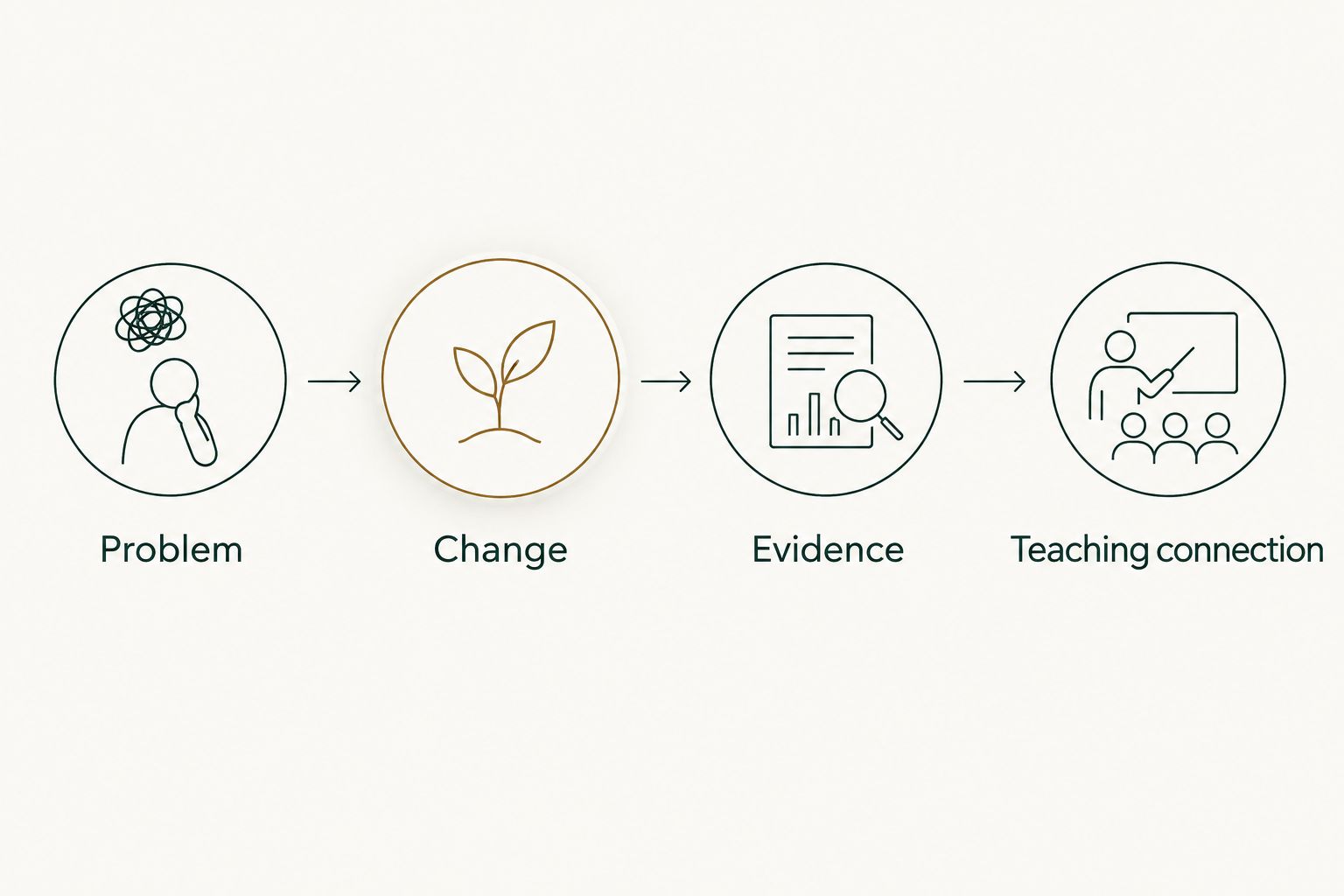
A useful summary explains the problem, the change, the evidence, and the teaching connection. Write those fields in a worksheet before compressing them into review prose. Start with 2 sentences per entry as an editing constraint, then expand only when the reader needs more explanation.
Use four fields:
- Problem: What needed correction or development?
- Change: What did the merged PR alter?
- Evidence: Which PR, test, or other permitted record supports the statement?
- Teaching connection: How did the change relate to your instructional responsibilities?
For example, if an exercise fix genuinely corrected an inconsistent setup instruction, describe that correction. Do not turn it into a claim that completion rates improved unless you have evidence for that outcome.
Keep contribution and outcome distinct. You can accurately say you changed a reference implementation without claiming the change made students more confident. The latter requires evidence beyond repository history.
- Describe the original issue in concrete terms.
- State what changed rather than repeating the PR title.
- Retain a permitted reference to the supporting record.
- Explain your contribution without claiming other people’s work.
- Remove outcome claims that the evidence does not establish.
6. Check confidentiality and repository access
Review the summary’s destination before copying details out of a repository. An internal performance review and a public job-search document have different disclosure boundaries. Access to a repository is not permission to publish its contents.
Student names, assessment answers, private repository identifiers, and classroom support discussions need particular care. Describe the type of work when the underlying detail cannot be shared. Follow your organization’s rules for handling student information and private development material.
Pull Tally’s read-only access concerns access to pull request metadata; it does not replace your disclosure review. Signing in alone does not connect private organization repositories. Decide which repository access is appropriate before using private work in a summary.
For a 2026 job search, prepare a public-safe version rather than reusing your internal document unchanged. Keep the account accurate while removing details you are not authorized to disclose.
- Check the audience and sharing rules.
- Remove student identifiers and confidential support details.
- Exclude protected assessment content.
- Replace sensitive implementation details with permitted descriptions.
- Confirm authorization before sharing private repository references.
7. Select evidence and maintain the record
Do not paste the entire merge history into a performance review. Select entries that explain your responsibilities, decisions, and contribution. Keep the full working record separately so you can check the summary later.
For a short discussion, start with 3 merged PRs that represent different kinds of work. This is a selection exercise, not a target. If the evidence for a contribution spans several PRs, summarize the contribution together rather than presenting each merge as a separate achievement.
Include work that PR history misses in a separate section. Teaching sessions, feedback, code review, and mentoring are not interchangeable with authored merges. Keeping those records separate prevents a technically accurate PR list from becoming a misleading account of your whole role.
Before your next 2026 review, revisit the record while you still remember the reasoning behind each change. Correct unclear notes instead of trying to reconstruct the story at the deadline.
- Choose examples that show different responsibilities.
- Combine related PRs into a single contribution narrative.
- Keep the supporting merge records available.
- Record teaching and mentoring evidence separately.
- Update explanations while the context remains clear.
Compare ways to build your summary
Choose the collection method based on how often you repeat the task. Choose the writing method based on how much context the final reader needs. No collection method removes the need to explain what your work meant.
| Option | Best for | What it provides | Key limitation |
|---|---|---|---|
| GitHub search | Occasional instructor lookups | Filters for merged PRs, authors, dates, repositories, and organizations | You must repeat searches and organize the results yourself |
| Pull Tally | Individual developers reviewing merged history repeatedly | Browsing and summaries by month, organization, or personal repository | Its stated scope is personal merged-PR history, not student assessment |
| Manual worksheet | Adding teaching context to selected contributions | A place to connect changes, evidence, responsibilities, and permitted outcomes | You must collect and maintain the source records yourself |
GitHub search is the direct route for a one-off collection; a worksheet handles the explanation. A dedicated history view fits recurring browsing. These methods address different parts of the task, so selecting one does not make the others unnecessary.
Common mistakes coding bootcamp instructors make
Treating merge count as a teaching score
A merge count records delivery events, not lesson quality or student understanding. Do not rank instructors or learners by authored PR totals. Explain the contribution and evaluate teaching with appropriate evidence outside the PR record.
Counting student work as your delivery
Maintaining a repository does not make its submissions your authored work. Separate your development contributions from student submissions and from your review comments. Describe mentoring as mentoring, with its own evidence.
Including reference solutions in public summaries
A job-search document should not expose restricted assessment material or private solutions. Explain the kind of implementation work you performed without reproducing protected content. Check disclosure rules before sharing a repository reference.
Claiming a learning outcome from a code change
A merged exercise fix establishes that the fix entered the repository. It does not establish that students learned faster or needed less support. State the correction directly and add an outcome only when separate evidence supports it.
Losing the reporting boundary
Mixing authored merges, reviews, open PRs, and commits makes the summary hard to interpret. Keep each category identifiable. A reader should understand exactly what the reporting window and tally include without asking you to reconstruct the method.
FAQ
What are PR summaries for coding bootcamp instructors?
PR summaries for coding bootcamp instructors are records of merged pull requests with explanations of the instructor’s contribution and teaching context. They support development handoffs, performance reviews, and job-search preparation; they do not measure student learning.
What’s the best way to find my merged GitHub PRs?
Use GitHub search with author, merge-status, and merge-date filters for an occasional lookup. Add a repository or organization filter when your summary needs a narrower scope.
Is Pull Tally better than manual GitHub search?
Pull Tally fits repeated browsing of personal merged-PR history by month, organization, or personal repository; GitHub search fits occasional lookups. Both require you to add the context that explains your contribution.
Does signing in connect private organization repositories?
Signing in alone does not connect private organization repositories. Treat access to private organization work as a separate permissions decision.
What data does the tool access?
Pull Tally uses read-only access to pull request metadata for browsing and summarizing merged GitHub pull requests. Its purpose is personal delivery history, not a productivity score.
Can I use merged PR counts to grade students?
Merged PR counts are not a measure of student understanding. Assess learning against your teaching objectives and evidence of the learner’s work, rather than treating merges as a grade.
How do I use private bootcamp work in a job search?
Use only information you are authorized to share. Describe your contribution without exposing student identifiers, restricted solutions, private repository details, or confidential discussions.
Should my summary include code reviews and mentoring?
Record code reviews and mentoring separately from authored merged PRs. They are distinct contributions, and a personal merged-PR history does not represent all of your teaching work.
One last thing
A low merge count does not erase a substantial contribution. A curriculum correction can span several PRs, while valuable mentoring can produce no authored merge at all. Keep the delivery record precise and the account of your role broader than the tally.
Before sharing your 2026 summary, read it without opening GitHub. If the reader cannot tell what you changed, why you changed it, and what evidence supports the claim, revise the explanation—not the count.