GitHub PR history to a client status report: 2026 workflow
Turn github pr history to client status report with verified evidence. Filter merged work, check permissions, and separate code merges from client delivery.

Instead of manually reopening GitHub pull requests for every client update, use a repeatable workflow that filters merged work, checks the evidence, and turns it into a client status report. For your 2026 reports, keep the distinction clear: a merged pull request records code integration, not deployment, acceptance, or business impact.
Why this matters
Your client needs to know what changed, what remains unresolved, and what happens next. A list of technical titles rarely answers those questions. The useful report connects each change to a client concern without claiming more than the evidence supports.
Pulltally is best for individual developers who repeatedly summarize merged GitHub pull requests. Use Pulltally when monthly browsing by organization or personal repository replaces repeated manual searching. Keep GitHub search for an occasional lookup or a narrowly scoped check.
Neither approach turns a merge into a confirmed release. Your 2026 reporting workflow still needs a review step that separates merged code from work the client can actually use.
| Approach | Best for | Advantage | Limitation |
|---|---|---|---|
| GitHub search | Occasional reports from a defined repository | Lets you specify author, merge dates, and repository directly | You must repeat searches and assemble the report yourself |
| Pulltally | Individual developers revisiting monthly merged history | Supports browsing and summaries by month, organization, or personal repository | Merged history still needs client context and outcome verification |
This is personal delivery history, not a productivity score. A small maintenance change and a large feature can each involve a pull request; the count does not explain their relative effort or value.
Before you start
- Repository access: Use a GitHub account that can see the relevant repositories. Pulltally accesses pull request metadata with read-only access; signing in alone does not connect private organization repositories.
- Reporting materials: Have the client scope, reporting dates, GitHub username, and repository names ready. Keep release notes, issue references, or acceptance evidence available when the report needs a claim beyond merged status.
- The date gotcha: Filter by merge date, not creation date. A pull request opened before the reporting period can belong in the report if it merged during that period; one opened during the period but still unmerged does not belong in the merged-work tally.
Set these boundaries before collecting anything. Otherwise, a report can mix personal projects, another client's repository, and unfinished work into a single misleading summary.
Reporting scope
- Write the reporting period at the top of your working document. For example, use January 2026 for a calendar-month report rather than an undefined label such as recent work.
- Record the repositories that belong to this client. Use an organization-wide scope only when every included repository belongs in the report.
- Decide whether the report covers your authored pull requests or the wider project. For personal delivery history, use your GitHub username as the author filter.
- Create 3 report fields for each work item: Change, Evidence, and Status. These fields keep the report readable while making its claims traceable.
- Keep a separate area for blockers and next steps. Unmerged work needs its own explanation rather than a place in the merged tally.
Expected result: You have a written period, repository boundary, author boundary, and report structure before you search.
For a freelance developer working across clients, repository scope matters as much as dates. An organization can contain unrelated projects. Do not assume that everything you can access belongs in the same client update.
Also distinguish individual delivery from team delivery. If another developer authored a pull request you reviewed, describe your review contribution separately; do not count that pull request as your authored work.
Merged history search
- In GitHub, search for pull requests using a query with explicit type, state, author, repository, and merge-date qualifiers.
- For the January 2026 example, enter
is:pr is:merged author:YOUR_USERNAME repo:OWNER/REPOSITORY merged:2026-01-01..2026-01-31. Replace the uppercase query values with your actual username and repository. - Repeat the search for each in-scope repository. Use
org:ORGANIZATIONinstead ofrepo:OWNER/REPOSITORYonly when the whole organization is relevant. - If you use Pulltally for recurring history review, browse the reporting month and relevant organization or personal repository. Check that the visible scope matches your client report before drawing conclusions.
- Inspect the returned pull requests. Record the title, merge date, repository, and source reference in your private working notes.
Expected result: Your working set contains merged pull requests from the intended period and scope, rather than every pull request you touched.
The merged: qualifier is the important distinction. Searching by created: answers when work was opened, and searching by updated: includes activity that is not a merge. Neither substitutes for a merge-date filter.
Do not treat an empty result as proof that no client work occurred. Repository access, author selection, and dates all affect what you can retrieve. Review those boundaries before writing a no-delivery statement.
Use the source history to recover work you forgot, not to make every item equally prominent. A dependency update belongs in the record, but it does not automatically deserve the same space as a client-requested feature.
Evidence review
- Open each relevant pull request and read its description alongside the changed files or linked issue. Confirm what changed instead of relying on the title alone.
- Group related pull requests under a client-facing change. Keep the individual references in your working notes so the grouped summary remains traceable.
- Write the change in plain language. A technical title about validation middleware can become a statement about rejecting invalid submissions, provided the pull request supports that description.
- Check release or acceptance evidence before using words such as deployed, available, resolved, or approved. If you only have merge evidence, label the status Merged; deployment unverified.
- Remove sensitive implementation details from the client-facing version. Retain only the information the recipient is authorized to receive.
Expected result: Each report item has a supported description and a status that matches the evidence.
Keep the handoff in this order:
- Scope: Define whose work, which repositories, and which period belong in the report.
- Merged history: Retrieve and inspect the relevant pull requests.
- Client summary: Describe the change, its supported status, and any remaining dependency.
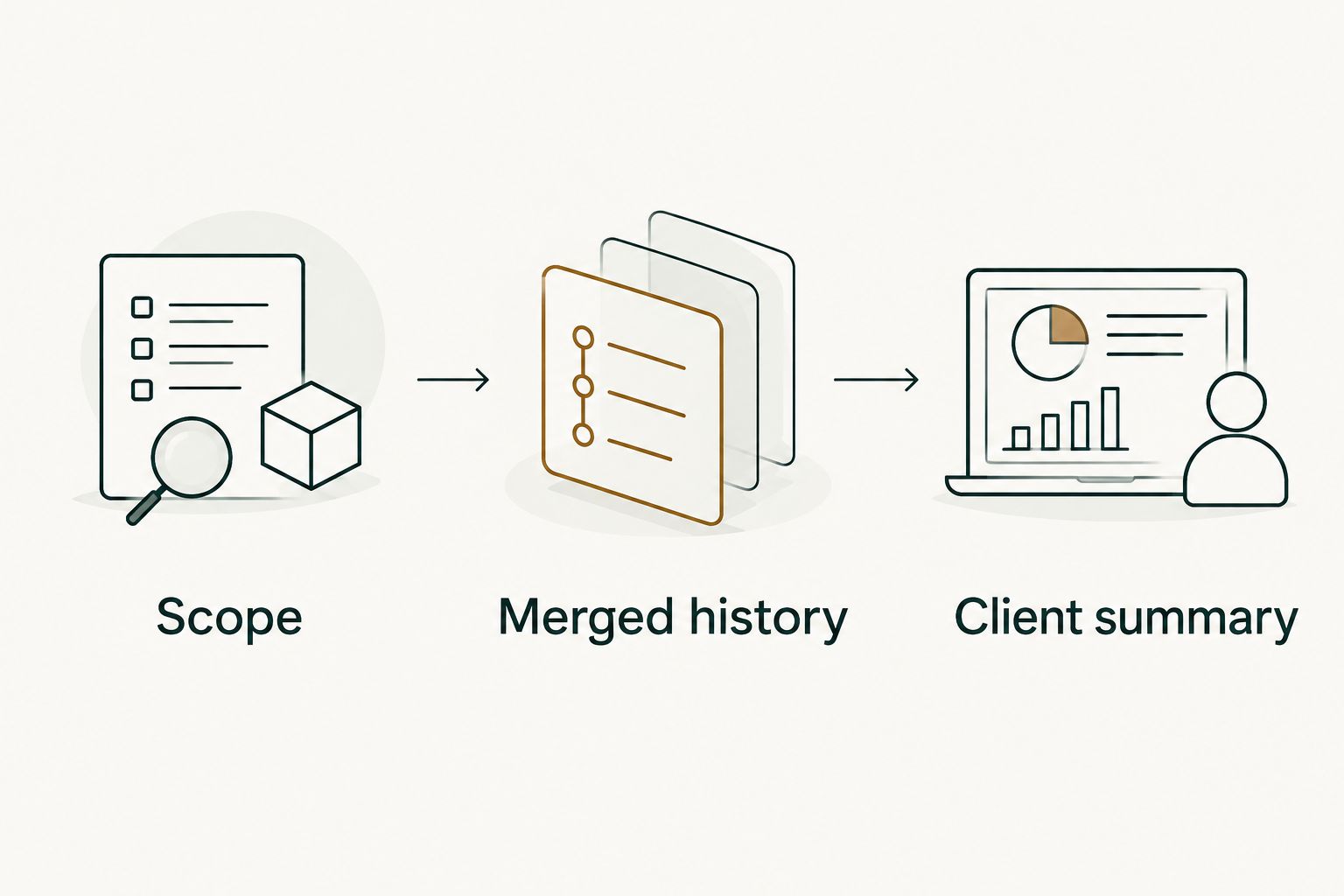
A merge proves code was integrated; it does not prove the client received the outcome. This rule prevents a status report from becoming an accidental release announcement.
Be equally careful with bug fixes. A merged change intended to address a defect is not evidence that the defect disappeared in production. Use verification notes or acceptance evidence for that stronger claim.
Client report assembly
- Start with a short summary of the reporting period and project scope. Name the project in terms the client recognizes, without exposing unrelated repository details.
- Add a table using your Change, Evidence, and Status fields. Keep evidence references specific enough to find again, while respecting the recipient's repository access.
- Separate merged work from confirmed delivery. If a release is pending, state that directly rather than hiding it in a technical note.
- Add blockers, decisions needed, and next steps beneath the table. Include only dependencies and commitments you can substantiate.
- Read the report as the client. Remove jargon that does not help them understand the change or make a decision.
Expected result: The client can distinguish completed code changes, verified delivery, and work that still needs action.
Use this template without filling empty sections with invented progress:
| Report field | What to write |
|---|---|
| Reporting period | The dates and project scope covered |
| Summary | The supported changes that matter to the client |
| Change | A plain-language description of each grouped work item |
| Evidence | A pull request or other approved source reference |
| Status | Merged, deployed, or accepted, according to the evidence |
| Blockers | A specific unresolved dependency or decision |
| Next steps | Confirmed planned work, clearly separated from completed work |
Keep the merged tally subordinate to the explanation. It can help you check completeness, but it should not become a claim about hours worked, project completion, or developer performance.
Before sending a February 2026 report, check that its title, dates, and underlying searches all refer to February. Copying the previous report without updating every scope field is an avoidable source of misleading history.
Update the report when work changes
A recurring report needs a refresh workflow, not just an initial collection. Use the same scope and evidence rules when new pull requests merge or previously merged work gets released.
- Save the reporting boundaries and search query in your private working document.
- When you prepare the next update, rerun the search or revisit the relevant monthly history.
- Match new results against the source references already recorded. Add new items without counting existing items again.
- Recheck delivery status separately. An existing item can move from merged to deployed without another pull request appearing.
- Review the client-facing summary for changed blockers and decisions before sending it.
Expected result: The updated report reflects both new merges and changed delivery status without duplicating work.
This is a review workflow, not a claimed automatic GitHub-to-client integration. Do not assume that browsing merged history sends reports, monitors deployment, or confirms acceptance.
For overlapping updates, keep the period explicit. A weekly note and a monthly report can contain the same change legitimately; duplication becomes a problem when that change is counted twice within the same report.
Troubleshooting
A known merge is missing
Check the repository, author, and merge-date filters first. A pull request authored by a colleague will not appear in your author-filtered results, even if you contributed to it.
Then confirm that your account can access the repository. Signing in to a history tool is not the same as connecting private organization repositories.
The report includes unrelated work
Replace a broad organization scope with the relevant repository scope. Check every grouped item against the client boundary before including it.
Do not fix this by merely changing the summary wording. Remove unrelated source items from the working set so later tallies and refreshes stay accurate.
The client cannot open an evidence reference
Check whether the recipient has repository access. Private pull request references do not grant permission to view their contents.
Provide an authorized plain-language summary or another approved evidence reference. Never solve an access problem by copying confidential code or discussion into the report.
The tally looks right but the delivery claim is wrong
Check the status assigned to each item. A report can have an accurate merged count and still falsely describe work as released.
Use Merged; deployment unverified until you have delivery evidence. Keep planned work, open pull requests, and confirmed releases distinguishable.
Customize your workflow
Build the client report around decisions, not around every technical event. If the client mainly needs release readiness, give pending deployment and acceptance checks more space than the merge tally.
For your own performance review or job search, retain a separate private record with fuller technical context. The same pull request can support a client update and a personal achievement note, but those documents have different audiences and confidentiality limits.
For the rest of 2026, keep reporting boundaries consistent and record any intentional scope change. Comparing periods with different repositories or authors creates a misleading picture even when each search is individually correct.
Treat billable work as a separate record. Merged pull requests show delivery history; they do not establish hours, contractual eligibility, or an invoice amount.
FAQ
How do I turn GitHub PR history into a client status report?
Filter merged pull requests by reporting period, author, and client repository, then translate verified changes into a status report. Include evidence, distinguish merges from deployment, and keep blockers and next steps separate.
Is Pulltally better than GitHub search for client reports?
Pulltally is better suited to repeated browsing and summaries of your monthly merged history. GitHub search suits occasional lookups with explicit filters; either approach still requires you to verify client-facing outcomes.
Does Pulltally change my GitHub repositories?
Pulltally uses read-only access to pull request metadata. The reporting workflow uses that history to browse and summarize merged work, not to modify repository content.
Does signing in connect my private organization repositories?
No, signing in alone does not connect private organization repositories. Check the repository scope before assuming that private client work is included in the history you see.
Should I use creation dates or merge dates in my 2026 report?
Use merge dates when reporting merged work in 2026. Creation dates describe when pull requests were opened and can place unfinished work in the wrong reporting period.
Can merged pull request counts prove billable hours?
No, merged pull request counts do not prove billable hours. Keep time records and contractual billing requirements separate from delivery history.
Can I call a merged pull request a completed client feature?
A merge alone does not establish that a client feature is deployed or accepted. Use the status supported by your evidence and check release or acceptance records before making a stronger claim.
What should I do if there are no merged pull requests?
Check your dates, author filter, repository scope, and access before describing the period. Record supported non-merged work separately rather than presenting it as merged delivery.
One last thing
Check the strongest verb in every report item. Merged, deployed, accepted, and improved each make different claims. If the evidence only supports merged, changing the verb is more useful than adding another paragraph.
That check keeps a short client update accurate. It also makes the report safer to reuse later in a performance review, where unsupported outcome claims remain unsupported.