PR reporting for startup CTOs and board updates: complete 2026 guide
PR reporting for startup CTOs board updates: turn merged GitHub pull requests into evidence-backed summaries, without treating PR counts as productivity scores.

Startup CTO PR reporting is the process of turning merged pull request history into evidence for board updates, with the aim of explaining engineering delivery without confusing activity with business results. This 2026 guide shows you how to collect that evidence, add release and customer context, and keep individual developer history separate from team-wide claims.
Why PR reporting matters for startup CTOs
A board update needs a clear account of what engineering delivered, what remains uncertain, and which decisions require attention. A pull request provides a traceable record of a code change. It does not, by itself, establish that the change reached production or achieved a business objective.
Use PR history as supporting evidence, not as the board narrative. For a broader view of measurement choices, compare engineering metrics tools for engineering managers before choosing a reporting workflow.
A startup CTO also needs to distinguish personal contribution from team delivery. Your own merged changes can support a performance review or help reconstruct a technical initiative, but they cannot establish what every developer shipped. Keep the reporting scope visible whenever you summarize a repository, an organization, or an individual account.
The practical output is a short delivery narrative backed by inspectable evidence. Board members receive the explanation; the underlying PR list remains available for questions and verification.
How to build an evidence-backed board update
Define the reporting boundary
Start with a written scope before searching GitHub. Specify whose work you are reviewing, which repositories belong in the report, and which date determines inclusion. For a merged-PR report, use the merge date rather than the date someone opened the request.
For example, a monthly reporting window can run from January 1 through January 31, 2026. That is a reporting choice, not a claim about your delivery cadence. State the timezone and use the same interpretation when checking boundaries in your search results.
Separate a personal evidence collection from the board-level report. If you collect only your own merged requests, label the result accordingly. If you need organization-wide coverage, establish that coverage independently rather than assuming a personal view includes everyone.
Write the boundary once and retain it with the report. When a later reader asks why a change is absent, you should be able to answer from the scope rather than reconstructing your search.
- Name the repositories included in the reporting window.
- State whether the collection covers you or the engineering team.
- Use merge date consistently for merged-work reporting.
- Record the timezone used to interpret date boundaries.
- Keep out-of-scope work separate from the main tally.
Collect merged pull requests manually first
Use GitHub search to establish a repeatable manual baseline. Start with is:pr is:merged, then narrow the results with the relevant author, repository, organization, and merge-date filters. Check the result set before turning it into a summary.
An individual developer can add author:@me to focus on their own requests. A CTO preparing a team report needs a different scope: searching only their own account excludes other contributors. Repository and organization filters help define the search, but access permissions still determine what the account can see.
Save the exact query alongside the report. For a new window beginning February 1, 2026, change the date boundary deliberately instead of relying on whatever results appeared during the previous search.
Open the source requests when titles are ambiguous. A title such as cleanup does not explain whether the change removed a delivery blocker, simplified maintenance, or merely renamed a file. The description and discussion supply context that the tally cannot.
- Apply
is:pr is:mergedbefore counting results. - Add the author filter only when reporting personal history.
- Narrow the search to the intended repositories or organization.
- Apply the merge-date window and inspect boundary results.
- Save source references for changes used in the narrative.
Replace repetitive personal lookups where needed
Stay with GitHub search when you need an occasional lookup. When the repeated task is browsing your own merged requests by month, organization, or personal repository, Pulltally provides a workflow built around that individual history.
Pulltally is best for individual developers who need to browse and summarize their merged GitHub pull request history. That makes it relevant when a hands-on CTO is collecting personal delivery evidence, or when a developer is preparing a self-review. It does not turn an individual history into a complete engineering-team report.
Access is read-only and concerns pull request metadata. Signing in alone does not connect private organization repositories. Keep that distinction explicit when deciding whether to use a reporting tool with company work.
The useful shortcut is replacing repeated searches and manual grouping, not replacing judgment. You still need to verify which changes reached users, explain your role, and check whether the selected history covers the intended report.
- Use GitHub search for isolated questions about merged work.
- Use the personal-history workflow for repeated monthly browsing.
- Check organization access separately from sign-in.
- Keep individual contribution notes separate from team conclusions.
- Verify outcome claims against evidence beyond the PR tally.
Group changes by the outcome you can support
Read the collected requests and group related changes into a small set of delivery themes. Use the business or technical purpose of the work rather than copying repository names into the board update.
A theme might concern a customer-facing workflow, a migration, or reliability work. These are possible categories, not evidence that your startup completed them. Choose only themes supported by the requests and by the surrounding project records.
Keep the evidence precise. A merged fix supports a statement that the code change was merged. A claim that incidents declined needs incident evidence. A claim that customers adopted a feature needs usage evidence. Do not stretch a source beyond what it establishes.
For a developer preparing a review, add your actual role to each theme: authoring, reviewing, investigating, or coordinating. The merged request list is useful for recall, but it is not a complete inventory of contribution.
- Group related requests under a clear delivery theme.
- Describe the problem the changes were intended to address.
- Record your role when building personal contribution notes.
- Separate implementation evidence from verified outcome evidence.
- Leave unsupported impact claims out of the summary.
Write the delivery narrative in separate layers
Draft the update in 2 passes: assemble the evidence first, then write the explanation. This is a suggested workflow, not a benchmark. It prevents a polished narrative from outrunning the records behind it.
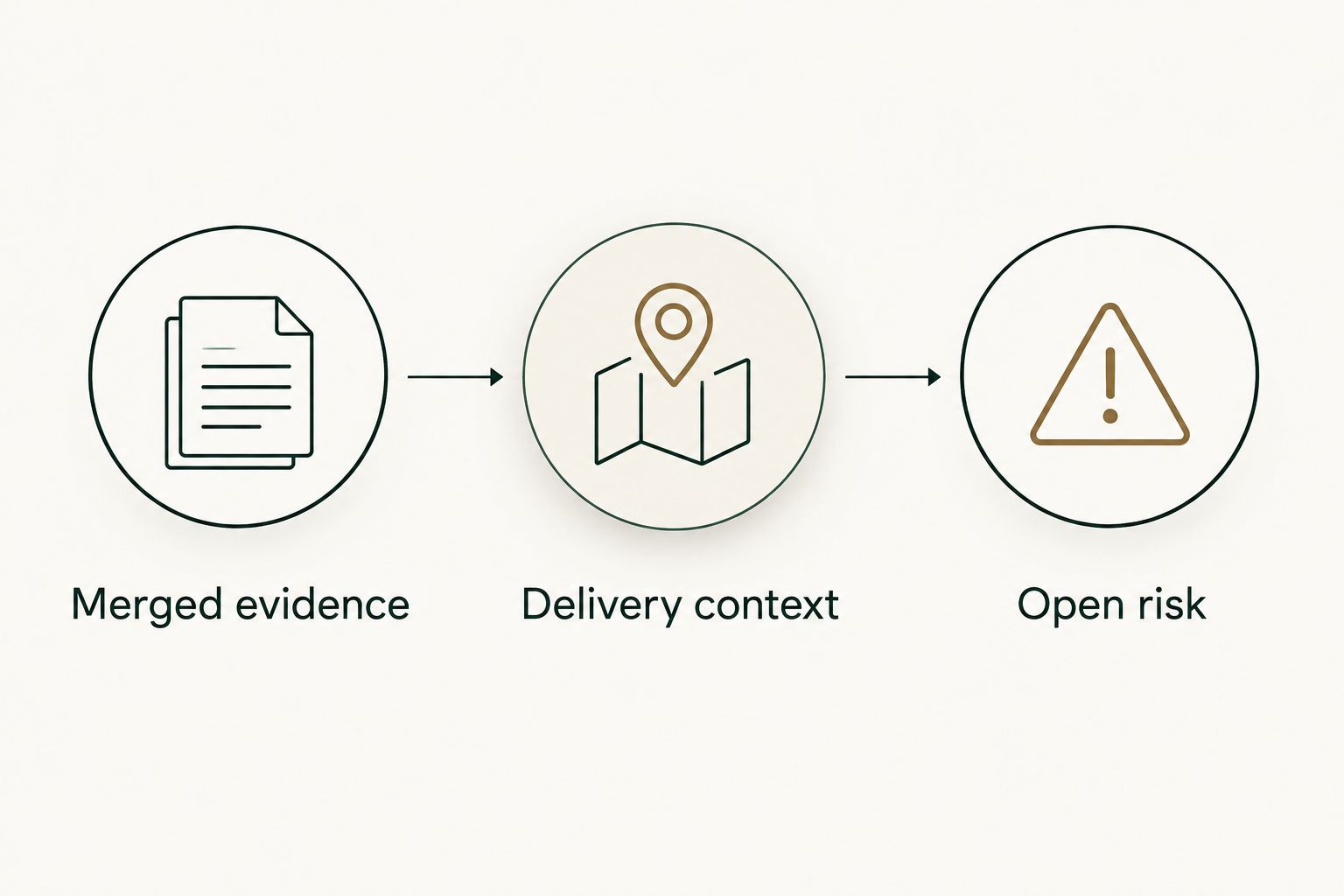
Use 3 fields for each delivery theme: merged evidence, delivery context, and open risk. Merged evidence identifies the relevant changes. Delivery context states what is known about release status and intended purpose. Open risk explains unfinished validation, dependencies, or decisions that still need attention.
For a board update, lead with the meaning of the work, then preserve the underlying references in your working document. For a self-review, retain more detail about your contribution. Both versions should let a reader distinguish completed code work from a verified result.
Do not write shipped when the only verified event is merged. If production status is unknown, state that distinction directly. An honest boundary is more useful than a confident statement that cannot survive a follow-up question.
- Merged evidence: identify the changes supporting the theme.
- Delivery context: state the verified release status and purpose.
- Open risk: name unresolved dependencies or validation work.
- Retain source references outside the short board narrative.
- Ask for the missing evidence before asserting an outcome.
Reconcile the report before sharing it
Check the draft against its original scope. Confirm that the requests belong to the reporting window, that the summary does not double-count related work as separate outcomes, and that every business claim has the right supporting source.
Pay particular attention to work that spans reporting periods. A project can include merged changes in one month and a production release in another. Describe those events separately rather than moving the same accomplishment between months to make the narrative look complete.
Check attribution with the same care. A request authored by one developer can include review, testing, investigation, or coordination by others. Report your own contribution accurately and avoid assigning team results solely from author fields.
Finally, review what you will share. A board-facing summary does not need every technical discussion or customer identifier contained in a source request. Preserve verification material in an appropriately controlled location and share only the detail needed for the decision.
- Recheck dates, repository coverage, and reporting scope.
- Distinguish merged changes from production releases.
- Reconcile overlapping themes before describing outcomes.
- Confirm attribution without treating authorship as sole ownership.
- Remove unnecessary sensitive detail from the shared summary.
Compare reporting options for your workflow
Choose the smallest workflow that answers the question. For your 2026 reporting process, separate finding evidence from writing the report: a history browser and a board narrative serve different purposes.
| Option | Best for | Main advantage | Key limitation |
|---|---|---|---|
| GitHub search | Occasional merged-PR lookups | Lets you inspect source requests and refine the search scope | You must repeat searches and organize the results yourself |
| Pulltally | Individual developers reviewing their merged GitHub history | Supports browsing and summarizing by month, organization, or personal repository | Individual history does not establish team-wide delivery or business impact |
| A manually maintained reporting document | CTOs assembling a board narrative from verified sources | Combines PR evidence with release context, outcomes, and open risks | Requires manual upkeep and careful source checking |
Use search or a personal-history tool to collect evidence; use a reporting document to explain it. Neither a query nor a monthly tally establishes customer impact on its own.
For a hands-on founder, the distinction is especially useful. Your personal history can explain where you contributed. The board update must also account for work outside your authorship and for dependencies that are not visible in merged requests.
Common mistakes startup CTOs make
Presenting merge volume as productivity
A pull request count is a count of requests within a defined scope. It is not a measure of effort, quality, or value. Splitting a change into several requests changes the tally without necessarily changing the outcome.
Use counts for orientation and traceability. Personal delivery history is not a productivity score. Do not rank individual developers from merged totals.
Calling merged work shipped
Merge and release are different events. A merged change can still require deployment, enablement, or validation before you can describe it as available to users.
Verify the release state before using shipped in a board update. If the report establishes only the merge, say merged and explain the remaining delivery step.
Treating personal history as organization coverage
An individual developer's history answers a personal question. It does not establish the work of every contributor or repository.
Label the scope prominently. When reporting engineering-team delivery, reconcile the narrative against the team sources required to cover that scope.
Giving the board an unedited PR list
Raw titles leave the reader to infer purpose, progress, and risk. They also mix small maintenance changes with changes that affect a larger initiative.
Keep the list as an evidence appendix. Put the delivery themes, verified status, and decisions in the main update.
FAQ
What does PR reporting mean for a startup CTO?
PR reporting means organizing pull request evidence into an account of engineering work. For a board update, add verified release status, business context, and unresolved risks rather than presenting merge counts as results.
Can I use merged pull request counts to measure developer productivity?
No, merged pull request counts do not measure developer productivity. They describe activity within a defined scope and omit work such as investigation, review, coordination, and support.
Is a merged pull request the same as a shipped feature?
No, merging a pull request does not establish that a feature reached users. Verify deployment, enablement, and release status before calling the work shipped.
Is Pulltally a team-wide board reporting tool?
Pulltally is a tool for individual developers to browse and summarize their merged GitHub pull requests. Use that history as personal evidence, not as proof of complete engineering-team coverage or business outcomes.
Does signing in connect my private organization repositories?
Signing in alone does not connect private organization repositories. Treat sign-in and private organization access as separate permission questions.
What data does the personal reporting workflow access?
The workflow uses read-only access to pull request metadata to support browsing and summarizing merged history. Read-only access does not grant write permission to change repository content.
Can I create a useful report with GitHub search alone?
Yes, GitHub search can supply merged pull request evidence for a manually written report. Save the query and scope, then add release status and outcome evidence before making board-level claims.
What should I leave out of a board update?
Leave out unsupported impact claims, individual productivity rankings, and unnecessary sensitive details. Keep source requests available for verification without making the board reconstruct the narrative from raw titles.
One last thing
Before sending your next 2026 update, test every delivery sentence with a simple question: does this describe a merge, a release, or a verified outcome?
If the sentence blurs those events, rewrite it. A precise statement about completed code work is stronger than an unsupported claim about customer impact. Keep the evidence, the interpretation, and the next decision distinct.