GitHub merged PRs to a daily standup update: 2026 workflow
Turn GitHub PRs to daily standup update with a repeatable search-and-summary workflow. Report merged work, add your next plan, and make blockers clear in 2026.

Instead of manually reopening GitHub pull requests before every standup, use a repeatable search-and-summary workflow to turn merged work into a short update. This GitHub PRs to daily standup update guide separates what merged, what you plan next, and what needs help—without treating merge counts as a productivity score.
Why this matters
A merged pull request answers a narrow question: what change entered the target branch? It does not establish that the change reached production, resolved a customer problem, or represents everything you worked on. Your standup needs that distinction.
Pull Tally is best for individual developers who repeatedly browse merged GitHub PR history by month, organization, or personal repository. Use it where it replaces repetitive searching, not as a substitute for explaining your next step or asking for help.
The useful output is personal delivery history, not a productivity score. A standup should help teammates coordinate work; a tally alone cannot do that.
Before you start
- Account and access: Sign in to the GitHub account associated with your work. You need access to the repositories whose pull requests you intend to inspect. Private organization access is separate from simply having an account.
- Reporting boundary: Decide which author, repositories, and time window belong in the update. For a 2026 daily workflow, use the interval since your previous standup rather than assuming every update covers one calendar day.
- The easily missed distinction: Filter by merge date, not creation date or last update. Pull Tally uses read-only access to pull request metadata; signing in alone does not connect private organization repositories.
Keep your working notes nearby. Merged history provides evidence for completed changes, while your notes supply unfinished work, next actions, and blockers. Review the destination audience before copying internal repository names or implementation details into a message.
Choose your history source
Both approaches below support reviewing merged work. Neither turns a merge list into a complete standup without your judgment.
| Source | Best for | What it contributes | Advantage | Limitation |
|---|---|---|---|---|
| GitHub search | Occasional daily lookups | Pull requests matching author, merge date, and repository qualifiers | You can inspect results alongside the original discussion and diff | You must maintain the query and write the update yourself |
| Pull Tally | Repeated personal history browsing | Merged GitHub pull requests grouped for browsing by month, organization, or personal repository | It replaces repeated manual searching when those views match your task | Monthly history still needs a daily boundary, and you must add plans and blockers |
Start with GitHub search for a simple daily lookup. Choose the history-browsing approach when you also need to revisit completed work for performance reviews or a job search. Keep the standup drafting steps the same regardless of where you browse.
Configure your merged-PR search
Author and repository scope
- Open GitHub's search field and enter
is:pr is:merged author:@me. Theauthor:@mequalifier restricts the results to pull requests authored by the signed-in account. - Add
repo:OWNER/REPOSITORYfor a specific repository, replacing the capitalized terms with its actual owner and name. For organization-wide work, useorg:ORG_NAMEinstead, with the actual organization name. - Confirm the scope against a pull request you recognize. Check its author and repository before using the results in a report.
- Keep the query in a private working note so the next lookup starts from the same scope. Preserve the qualifiers; change only the reporting window when the scope stays constant.
Expected result: The results contain your authored, merged pull requests from the selected repository or organization—not every change made by the team.
Do not silently broaden the author filter to make the update look fuller. Reviewing someone else's PR is real work, but it belongs in a separate note about review or collaboration rather than your authored-merge list.
Merge-date boundary
- Add a
merged:qualifier to the scoped query. For example,is:pr is:merged author:@me merged:2026-01-12..2026-01-12searches for your pull requests merged on that example date. - Replace the example date with your reporting date. To cover several dates after a break, use a range such as
merged:2026-01-09..2026-01-12. - Inspect merge timestamps for results near the boundary. Calendar dates and your local standup interval are not always equivalent, particularly when teammates work across time zones.
- Exclude any result already reported in the previous update. Record the last reporting boundary in your working note so overlapping searches do not produce repeated claims.
Expected result: You have a candidate list for the reporting interval, with boundary cases checked against the actual merge timestamps.
A 24-hour reporting window is a convention you can choose, not a requirement of GitHub. After leave, a holiday, or an irregular meeting schedule, the interval since your last update is more useful than an automatic reference to yesterday.
Evidence check
- Open each relevant result. On a repository page, Pull requests is the tab for browsing pull requests; Conversation shows the discussion within an individual pull request.
- Read the title and description before summarizing. If the wording is vague, inspect Files changed to understand the change rather than inventing a benefit from the title.
- Separate related changes from independent ones. A fix and its follow-up test change can share a standup line when they describe the same completed work.
- Mark anything requiring context: a rollback, an incomplete rollout, a follow-up dependency, or a merge that does not yet mean the work is available to users.
Expected result: Each standup claim has a matching pull request and wording that does not promise more than the evidence supports.
For the 2026 workflow, keep the same distinction every day: merged means merged. Use deployed, released, or resolved only when you have separate evidence for that state.
Configure your standup draft
Use three parts: Merged work, Next action, and Blockers. These are drafting labels, not software settings. They keep completed changes separate from intentions and requests for help.
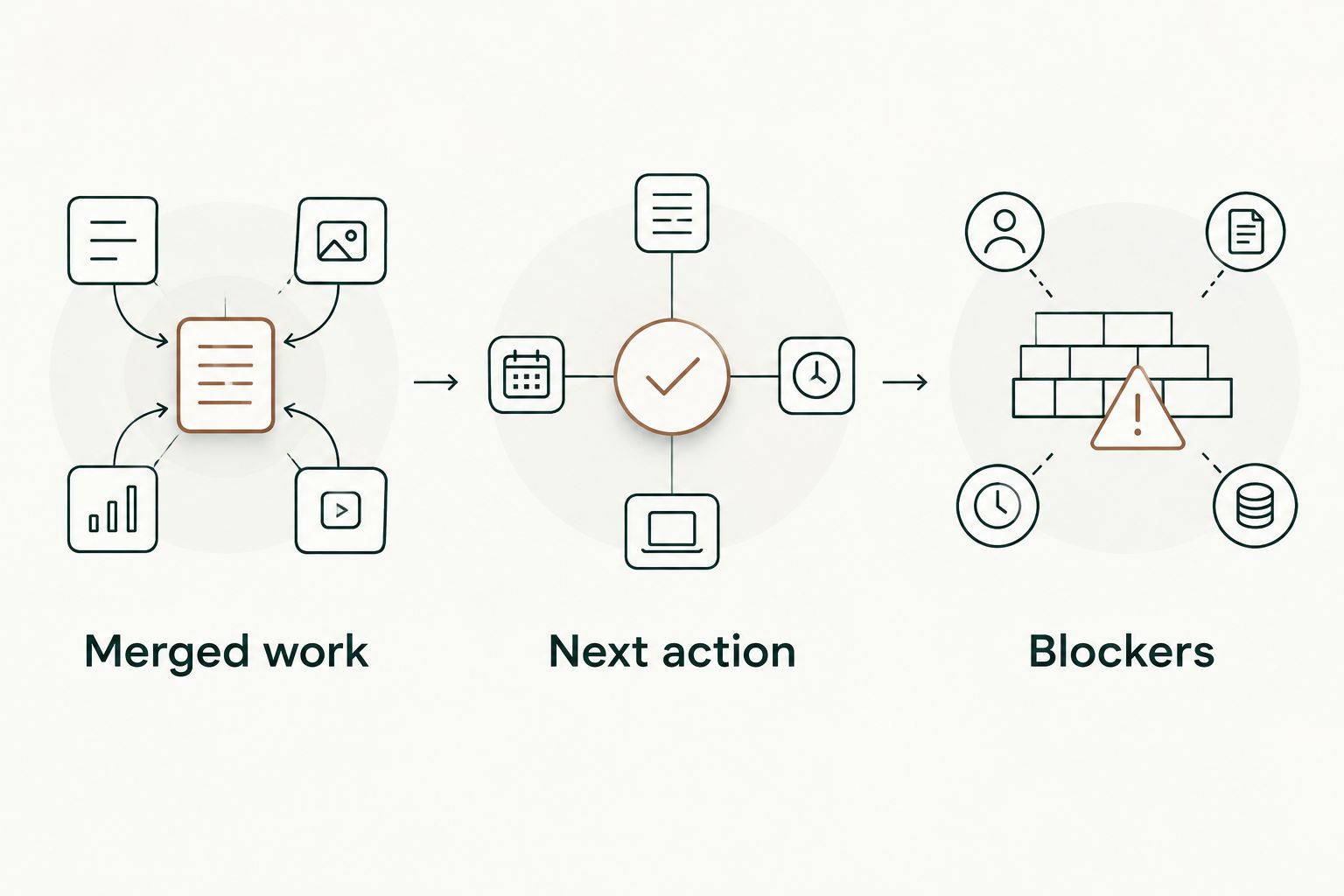
Merged work
- Turn each relevant change into a plain-language statement. Prefer what changed over an unexplained PR title or repository shorthand.
- Combine related pull requests when doing so preserves the meaning. For example, 2 related merges can become 1 summary line; that is an editing choice, not a measure of output.
- Include a short identifier in your private draft so you can reopen the evidence. Add a link in the actual standup only when its audience has permission to view that repository.
- Remove changes already reported. Keep a follow-up only when something new happened, such as a merge after an earlier review-stage update.
Expected result: Your completed-work section describes changes clearly without becoming a chronological dump of every pull request.
For example, a hypothetical update could say: “Merged the validation fix and its regression test.” That is more useful than listing two opaque titles. Do not add “eliminated customer errors” unless you have evidence for that outcome.
Next action and blockers
- Write the next action from your actual plan, not from the merged list. Name the task and the next observable step, such as checking a rollout or preparing a follow-up change.
- Add unfinished work that mattered during the interval. Investigation, review, debugging, and design work do not disappear because they produced no authored merge.
- State a blocker as a dependency or decision needed. Identify the relevant owner or team when you know who can help; avoid a vague statement that you are blocked.
- If there is no blocker, say so plainly. Do not manufacture a request to fill the template.
Expected result: Your draft tells teammates both where the work stands and where coordination is needed.
A useful hypothetical draft is: “Merged the validation fix and regression test. Next I’ll check the rollout and prepare the related cleanup. I need confirmation of the expected validation behavior before that cleanup.” The evidence supports the completed clause; your working context supplies the rest.
Final audience check
- Read the draft as someone who has not opened the pull requests. Replace unexplained shorthand with the feature, bug, or component being discussed.
- Check every outcome verb. A merged change is not automatically a deployed change, and a test addition does not establish that a production issue is resolved.
- Remove confidential details that do not belong in the destination channel. Repository access and permission to share its contents are different questions.
- Publish the update manually in your team's usual standup location. This workflow does not require an automated posting integration.
Expected result: You have a short, evidence-backed update with an accurate completed-work statement, a next step, and an explicit coordination signal.
Variant: update the draft when another PR merges
You can maintain the same draft throughout the day instead of reconstructing it just before the meeting. Treat this as a manual refresh workflow, not an automatic merge-triggered integration.
- Keep a private note headed with the next standup date, such as January 13, 2026.
- After a relevant merge, add a plain-language change summary and its reference to Merged work.
- Update Next action when your plan changes, rather than leaving yesterday's intended task in place.
- Update Blockers when a dependency appears or clears.
- Before posting, rerun the scoped merge search and reconcile the note with its results.
Best for: Developers who lose context between finishing a change and the next standup. The advantage is retaining the explanation while it is fresh; the trade-off is keeping another working note current.
If a pull request receives new discussion after merging, do not count it as another merge. Update the context only when that discussion changes what teammates need to know.
Troubleshooting
A known private-repository PR is missing
First check the repository scope and whether the same account can open the pull request directly in GitHub. Then inspect the permissions for the history source you are using.
Signing in to Pull Tally alone does not connect private organization repositories. Read-only metadata access describes what the tool accesses; it does not remove organization access controls.
The results include the wrong day's work
Check merged: first. A created: or updated: filter answers a different question and can include work outside your intended merge window.
Then compare the actual merge timestamps with your reporting interval. Keep a written boundary and remove already-reported results instead of repeatedly changing date filters without checking them.
The update repeats yesterday's PR
An overlapping search range can return a merge you have already mentioned. Retain its reference in your working note and mark it as reported after posting.
Keep a repeated mention only when the status changed in a way teammates need to hear. Describe that new status rather than presenting the original merge as fresh work.
The title does not explain the change
Open Conversation and Files changed. Read enough context to identify the actual change, then write a neutral summary.
If the purpose remains unclear, ask for clarification before making an outcome claim. A precise description of what changed is better than an unsupported statement about business impact.
There are no merges to report
Report the work you actually did: investigation, review, implementation in progress, or a dependency discussion. A day without an authored merge is not evidence of a day without useful work.
Keep completed changes and unfinished work distinct. Do not use PR counts to score yourself or teammates.
Customize your workflow
Reuse the private evidence note for longer-term reflection, but edit it for each audience. A daily standup needs coordination; a performance review needs a clear account of your contribution and supporting context.
For a 2026 review, keep the original references alongside notes about your role, follow-up work, and verified outcomes. Do not paste confidential code or internal discussions into job-search materials. A public-facing summary needs its own disclosure check.
Use Pull Tally's merged-PR history when repeated monthly, organization, or personal-repository browsing replaces manual searching. Keep deployment status, impact, plans, and blockers in your own notes unless you have separate evidence for them.
FAQ
How do I turn GitHub PRs into a daily standup update?
Filter your authored pull requests by merge date and repository scope, summarize the relevant changes, then add your next action and blockers. Check each summary against the original pull request before posting.
Can GitHub search show only my merged pull requests?
Yes. Use is:pr is:merged author:@me while signed in, then add a merged date qualifier and a repository or organization qualifier. The results remain limited by your repository access.
Does Pull Tally automatically post a standup update?
This workflow uses Pull Tally to browse merged pull request history, then has you write and publish the standup yourself. Automatic posting is not part of the workflow described here.
Does signing in connect my private organization repositories?
No. Signing in to Pull Tally alone does not connect private organization repositories. Access is read-only and concerns pull request metadata; private organization access requires separate attention.
Should I report a PR as shipped as soon as it merges?
No. A merge establishes that the change entered the target branch, not that it was deployed or released. Report shipment only when you have separate evidence for that state.
What should I say when I have no merged PRs?
Describe the work you actually did, your next action, and any blocker. Investigation, review, and unfinished implementation are valid standup context even without an authored merge.
Can I reuse standup notes for a performance review?
Yes, but keep the evidence and rewrite the summary for the review. Add your contribution and verified outcomes, and remove details the review audience should not receive.
One last thing
Save the context, not just the count. Before posting, record why the change mattered and what remained unfinished. That short note prevents a future review from becoming another exercise in reopening old pull requests.
The most useful standup update is not the longest merge list. It is the one that lets a teammate understand the change, identify the next step, and respond to a specific request.