Is Pull Tally worth it for solo developers in 2026?
Is Pull Tally worth it for solo developers in 2026? Yes, for recurring merged-PR reviews. Compare GitHub search, useful workflows, and read-only access.

Pull Tally is worth using if you repeatedly search GitHub for merged pull requests when preparing a review, updating a brag document, or gathering job-search examples. For an occasional lookup, GitHub search is enough; either approach still requires you to explain what the work accomplished, because a merged-PR count is not a productivity score.
Why this matters
When a review or interview approaches, you need examples you can explain—not just a total. Your merged pull requests give you a starting point: changes to revisit, decisions to remember, and work to connect to an outcome.
The practical question is whether finding those examples has become repetitive. If you keep reconstructing the same monthly history across an organization and personal repositories, a dedicated history view serves a clear purpose. If you need to find a single change, another tool adds little to the task.
Is Pull Tally worth it for solo developers in 2026?
Yes, when browsing merged pull requests is a recurring part of your review or job-search preparation. Choose your method by the task you actually repeat, rather than by the size of the total it produces.
| Option | Best for | What you get | Main limitation |
|---|---|---|---|
| Pull Tally | Recurring merged pull request history reviews | Browsing and summaries by month, organization, or personal repository | The history still needs your explanation of outcomes and contribution |
| GitHub search | Occasional, narrowly scoped lookups | Search qualifiers for author, merge status, repository, organization, and dates | You must construct and revisit the searches yourself |
| A manual brag document | Keeping the context behind selected work | Your own notes about decisions, outcomes, and supporting evidence | It does not retrieve your merged pull requests for you |
These approaches answer different questions. Search retrieves records. A history tool organizes records. A brag document explains why selected records matter.
Pull Tally is best for individual developers who repeatedly review merged pull request history for performance reviews or job searches. Its stated function fits that workflow directly: browse and summarize merged GitHub pull requests by month, organization, or personal repository.
The limitation is equally important. A list of merged changes does not tell a reviewer whether you resolved a difficult incident, clarified an ambiguous requirement, or helped another developer finish their work. Keep that context separately.
When a monthly history view earns its place
You prepare reviews from several repositories
An individual developer can have relevant work in an organization and in personal repositories. Being a solo user does not mean all your work lives in a single repository.
For your 2026 review, grouping merged pull requests by month gives you a consistent way to revisit that history. Organization and personal-repository filters let you choose the scope instead of treating every contribution as equally relevant.
The benefit is avoiding repetitive searching. The drawback is that grouping does not resolve relevance: a maintenance change and a substantial feature can appear in the same month, but they need different explanations in your review.
You are collecting examples for a job search
A merged pull request can remind you of a technical decision, a bug you investigated, or a change you delivered. Use the record to recover the story, then write a description that someone outside the repository can understand.
For example, an interview note can explain the problem, your contribution, and the outcome. It should not depend on the interviewer opening an internal link or understanding your team's naming conventions.
Monthly browsing is useful when you do not remember the exact title or repository. It is less useful when you already have a short, well-maintained collection of examples with the necessary context.
You keep repeating the same search
Repeatedly rebuilding a query is a clear reason to consider a dedicated view. The task remains the same even when the month changes: find your merged pull requests, select a scope, and inspect the results.
Do not add a reporting tool simply because a history exists. Add it when browsing that history is a real part of your workflow and manual searching keeps getting in the way.
When GitHub search is enough
GitHub search is best for an occasional lookup with a known author, repository, and time period. It lets you express the scope directly, without adopting a separate history workflow.
For a January 2026 lookup, replace USERNAME with your GitHub username:
is:pr is:merged author:USERNAME merged:2026-01-01..2026-01-31
Add repo:OWNER/REPOSITORY to focus on a repository, or org:ORGANIZATION to focus on an organization. Those are search qualifiers, not links; replace the uppercase values with the actual scope you want.
Use a 1-month window for an initial check. A bounded period makes it easier to inspect the results and confirm that your query reflects the intended work. It is a review choice, not a measure of performance.
Search has a clear advantage: you can specify the question precisely. Its limitation appears when you keep changing dates, switching repositories, and reconstructing the same view for each review cycle.
A saved query or a note containing the search text can be enough for a lightweight routine. If that still leaves you repeating the same work, the case for a dedicated monthly history view becomes stronger.
Turn merged pull requests into useful review notes
A list becomes useful when you connect it to a readable account of your work. Use this sequence for a monthly check or a longer review period.
1. Choose scope
Decide whether you are reviewing an organization, a personal repository, or a defined collection of work. Write down the period before browsing so your notes do not quietly mix unrelated time windows.
For a 2026 self-review, choose the dates requested by your review process. For a job search, choose the work that supports the role you are pursuing rather than automatically including everything.
2. Find merged work
Retrieve pull requests that are merged and attributed to the author you intend to review. In GitHub search, use merge-status and author qualifiers explicitly.
An authored pull request records one kind of contribution. It does not capture every review comment, design discussion, investigation, or support task you completed. Keep separate evidence for those activities when they matter.
3. Select examples
Open the changes that help explain your contribution. Read beyond the title: the description and discussion can supply context that a short name leaves out.
Select examples because you can explain them clearly, not because they make the total look larger. A small maintenance change can be relevant if it illustrates a decision or addresses a problem important to your review.
4. Add context
Use 3 fields in each note: problem, contribution, and outcome. The problem explains what needed attention; the contribution states what you did; the outcome records what happened afterward.
Do not fill gaps with assumed business results. If you know only that the change merged, say that and explain its intended purpose separately. Link supporting evidence in your own document when you have permission to share it.
5. Check sharing
Before copying an example into an application, portfolio, or interview document, check whether you can disclose the material. Private repository access is not permission to publish the repository's contents.
Keep internal links and sensitive details out of public examples. Describe your contribution at an appropriate level, and follow the organization's rules for discussing its work.
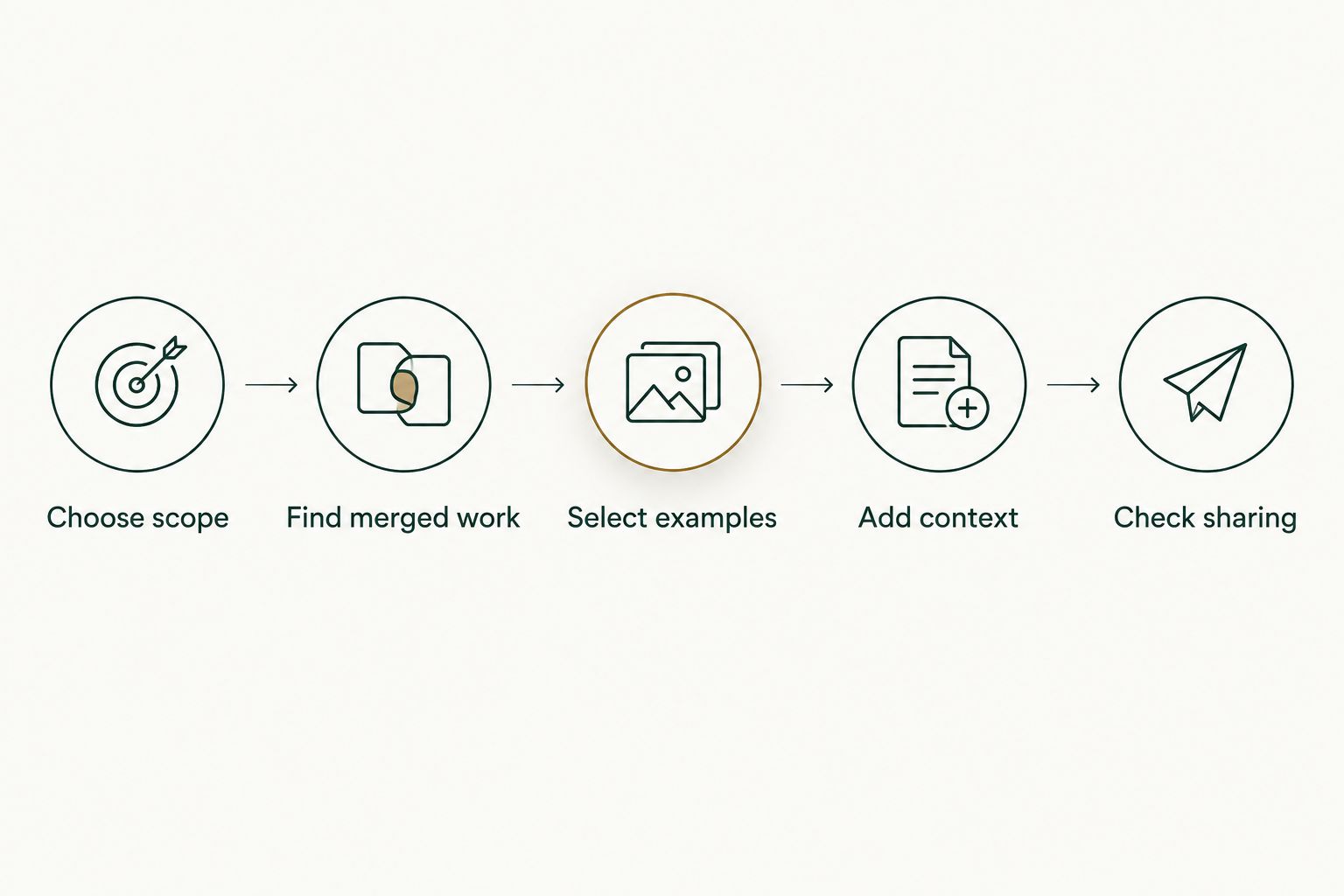
This process works whether you retrieve the records through search or a monthly history view. The tool choice changes how you find the work, not the standard for explaining it.
Why the value varies between solo developers
The value depends on the retrieval task, not on whether your pull request total looks impressive. These factors determine whether a separate history view fits:
- Review frequency: Repeated monthly or review-cycle browsing gives a dedicated view a clearer role than an occasional lookup.
- Repository scope: Work spread between an organization and personal repositories creates different browsing needs from work in a single known repository.
- Existing notes: A current brag document already preserves context; a stale document leaves more history to reconstruct.
- Purpose: Performance reviews and job searches need selected examples, while a quick merge check often needs only a search result.
- Access boundaries: The history you can inspect depends on the repository access you have, especially for private organization work.
Do not turn these factors into another scoring system. Ask which task you repeat, what scope you need, and whether the resulting history helps you write better evidence-backed notes.
Does read-only access mean private repositories connect automatically?
No. Pull Tally uses read-only access to pull request metadata, and signing in alone does not connect private organization repositories.
That distinction matters: signing in identifies you, while private organization access is a separate concern. Read-only access supports browsing and summarizing records; it does not authorize changes to your code or pull requests.
Before using any repository-history tool, make 2 checks: understand the requested access and confirm that your organization permits the connection. Do not assume that a successful sign-in means all organization history is available.
Read-only also does not mean non-sensitive. Pull request metadata can contain internal information, so apply the same care to copied summaries and review notes that you apply to the underlying work.
Can merged pull request counts show how productive you were?
No. A merged pull request count shows a tally of merged records within a defined scope, not the effort, difficulty, or value of your work.
Pull requests differ in size and purpose. Splitting a change into several pull requests changes the count without necessarily changing the underlying contribution. Review work and investigation can also matter without producing an authored merge.
For a 2026 performance review, use the tally as an index into your delivery history. Then explain selected work with evidence. Personal delivery history, not a productivity score.
FAQ
Is Pull Tally worth it for solo developers in 2026?
Pull Tally is worth using when you repeatedly browse merged GitHub pull requests for reviews or job-search preparation. GitHub search is enough for an occasional lookup with a known scope.
Can I find my merged pull requests without another tool?
Yes, GitHub search can find merged pull requests using author, merge-status, date, repository, and organization qualifiers. Use an explicit date range and scope so the results match your question.
Does signing in connect my private organization repositories?
No, signing in alone does not connect private organization repositories. Treat sign-in and private organization access as separate concerns.
Can Pull Tally change my code or pull requests?
Pull Tally uses read-only access to pull request metadata. That access supports browsing and summarizing history, not changing code or pull requests.
Can I use merged pull requests in a performance review?
Yes, merged pull requests provide records you can revisit when preparing a performance review. Add the problem, your contribution, and the supported outcome rather than presenting a count as proof of impact.
Is a merged pull request count a productivity score?
No, a merged pull request count is a tally of records in a chosen scope. It does not measure effort, difficulty, business impact, or contributions made outside authored pull requests.
Should I share private pull request links during a job search?
Share private pull request links only when you have permission and the recipient is authorized to view them. For public applications, describe your contribution without disclosing confidential repository details.
One last thing
Write the context while you still remember it. After reviewing a useful merged pull request, add the problem, your contribution, and the outcome to your notes immediately.
A history view helps you find the record again. It cannot recover an explanation you never recorded. That distinction is the simplest way to keep your review preparation useful without turning it into a measurement exercise.