GitHub repo PRs to a project changelog: 2026 workflow
Turn GitHub repo PRs to project changelog entries using merged-only search, evidence checks, and release verification. Keep personal review notes separate.

Instead of manually reopening GitHub pull requests whenever you need release notes, turn your merged repository PRs into a project changelog using a saved search, an evidence check, and a repeatable entry format. This 2026 workflow separates what merged from what shipped, so you can reuse the history for project updates, performance reviews, or job-search notes without overstating your work.
Why this matters
A repository contains more than changes a reader needs to know about. Dependency updates, internal refactoring, bug fixes, and new behavior all arrive through pull requests, but they need different treatment in a changelog. Copying every PR title creates a merge log rather than an explanation of what changed.
Pull Tally is best for individual developers who repeatedly browse merged GitHub pull request history. Use Pull Tally when monthly, organization, or personal-repository browsing replaces repetitive searches. Use GitHub directly when you only need an occasional repository lookup.
Your 2026 project changelog should answer a different question from your performance review. The changelog explains changes to the project; the review explains your contribution. Neither should turn a PR count into a productivity score.
Before you start
- Repository access: You need access to the GitHub repository and its pull requests. Writing the finished changelog into the repository also requires permission to propose or commit that documentation change.
- A defined reporting window: Choose the repository, start date, end date, and audience before searching. Prepare a Markdown file or document, plus any release or deployment records needed to verify shipped status.
- The permission and release gotchas: Private repositories require authorized access. Pull Tally uses read-only access to pull request metadata; signing in alone does not connect private organization repositories. Separately, a merged PR is not proof that its changes reached users.
For a concrete example, use January 2026: a 1-month reporting window covering 31 calendar days. The dates below are examples to replace, not a requirement to organize every changelog by month.
Choose the history view
| Option | Best for | What it does | Advantage | Limitation |
|---|---|---|---|---|
| GitHub search | An occasional repository changelog | Finds pull requests using repository, state, author, and date qualifiers | Keeps the lookup beside the PR discussion and changed files | You must maintain the search and turn results into readable entries yourself |
| Pull Tally | Repeated personal-history lookups | Lets individual developers browse and summarize merged PRs by month, organization, or personal repository | Replaces repeated manual searching for that personal history | Personal delivery history is not a complete project release record or a productivity score |
Use a repository-wide GitHub search for the project changelog. An author-only view excludes other contributors, so it cannot represent the whole project's changes. A personal view belongs in your review notes, not in a supposedly complete release summary.
Repository and reporting window
Establish the scope before collecting entries. A changelog for a shared repository and a record of your own contributions can use the same evidence, but they should not use the same inclusion rules.
- Scope repo. Open the intended GitHub repository and select Pull requests. Confirm the owner and repository name before searching, especially when a fork has a similar name.
- Filter merges. Enter a merged-only search in the pull request search box. For the example month, use
is:pr is:merged merged:2026-01-01..2026-01-31. - Use the global GitHub search instead if you need an explicit repository qualifier. Replace the example owner and repository in
repo:OWNER/REPOSITORY is:pr is:merged merged:2026-01-01..2026-01-31with the actual values. - Keep the project search free of an
author:qualifier. Save the query text beside your draft so another contributor can reproduce the scope.
Expected result: You have a reproducible list of PRs merged into the selected repository during January 2026, rather than a mixture of open, unmerged, and out-of-window requests.
The merged: qualifier matters. A PR created before January but merged during January belongs in this merge-based reporting window. A PR updated in January but merged earlier does not.
If your changelog describes a release rather than a calendar period, record that distinction now. The search produces candidates; the release record determines which candidates belong in the published release notes.
Pull request evidence
Do not draft from titles alone. A title is a useful starting point, but the final implementation, review discussion, and deployment state determine the accurate wording.
- Review evidence. Open each candidate PR and read Conversation for the stated purpose, scope changes, and linked work.
- Inspect Files changed when the description is unclear. Check whether the change affects user behavior, developer-facing interfaces, documentation, or only internal implementation.
- Record the PR identifier, title, merge date, and a short description in your working document. Keep the PR reference with the entry so you can return to the original evidence.
- Check the relevant release or deployment record before using words such as shipped, released, or available. If you only know the change merged, describe it as merged work instead.
- Note reverts and follow-up fixes. Read their relationship to the original change before deciding what the final changelog should say.
Expected result: Every proposed entry has 3 core fields: a PR reference, a plain-language change description, and a verified status. Additional notes explain uncertainty without disguising it as a shipped feature.
For example, a PR title about validation might describe several different outcomes. It might reject invalid input, improve an error message, or restructure code without changing behavior. Write only the outcome supported by the PR.
A reviewer should be able to trace your sentence back to the source. Keep that evidence in the working document even when the published changelog uses a shorter format.
Changelog categories and entries
Use categories to organize reader-relevant changes, not to make every merged PR look significant. Some PRs deserve a public entry; others belong only in the internal record.
- Draft entries. Group verified changes under headings such as Added, Changed, Fixed, and Internal. Use only the headings that contain relevant entries.
- Rewrite each selected PR into an outcome-led sentence. Explain what changed and, when supported, who encounters the change. Remove ticket shorthand that means nothing to the audience.
- Combine related PRs when they describe one outcome. Keep their individual references in the working notes rather than repeating nearly identical changelog bullets.
- Preserve breaking behavior and migration requirements explicitly when the evidence supports them. Do not bury required user action under a vague improvement label.
- Separate internal maintenance from user-facing changes. For a public changelog, omit routine internal work unless it changes something the audience needs to understand.
Expected result: The draft explains project changes instead of reproducing PR titles. Each entry has a reason to appear and a source you can inspect.
Use this structure for a monthly internal record:
## January 2026 — merged work

### Added
- Describe the new behavior supported by the PR evidence.

### Fixed
- Describe the corrected behavior and its relevant context.

### Internal
- Record maintenance that matters to the internal audience.

### Release status
- Separate confirmed releases from changes known only to be merged.
The heading deliberately says merged work. Replace it with a release heading only after you verify release membership. Never let a changelog heading imply more than the evidence establishes.
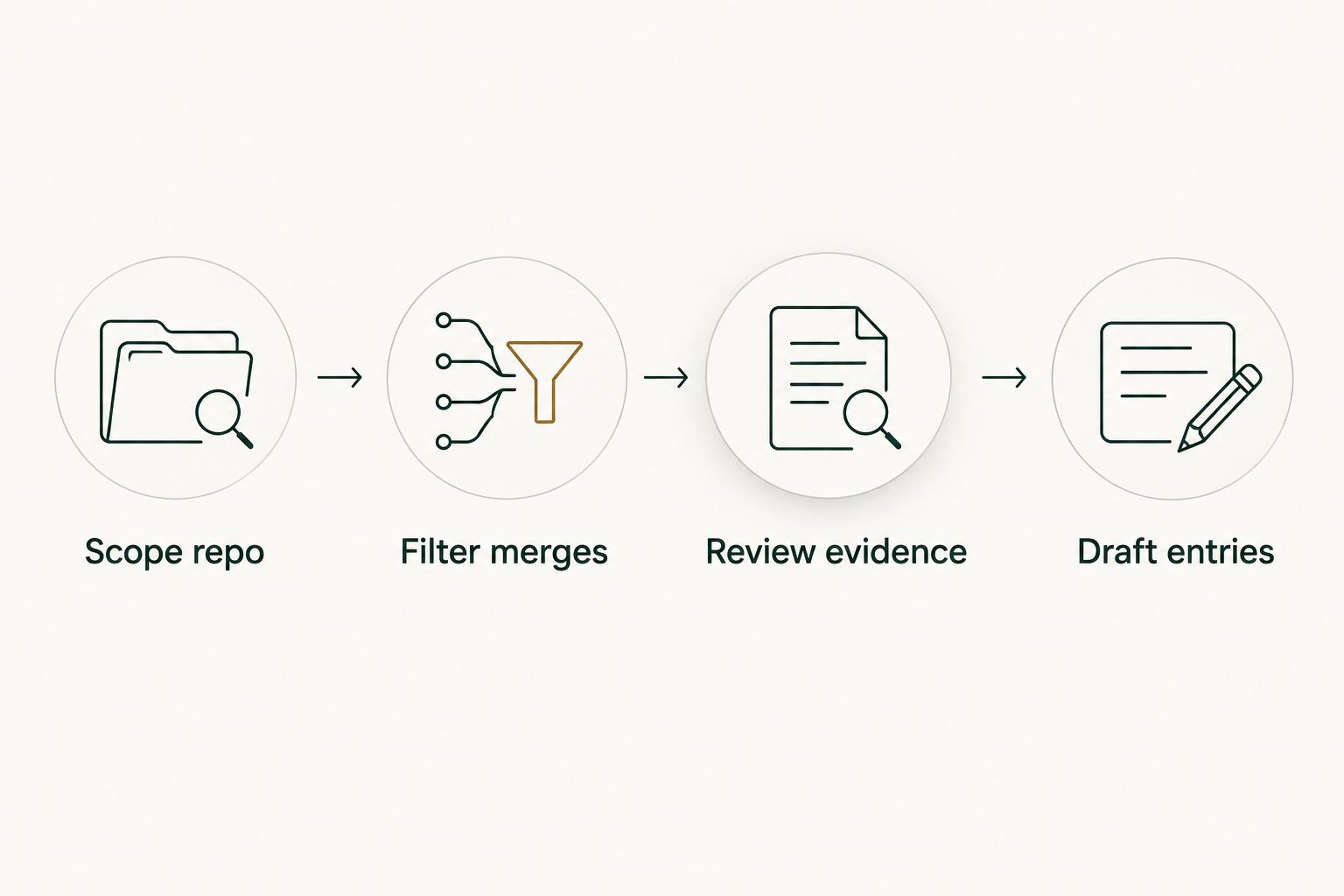
The process follows a simple sequence: Scope repo, Filter merges, Review evidence, Draft entries. Keep the evidence check between the search and the writing; that is where merge history becomes an accurate account of changes.
Publication and repeat runs
Publishing is a separate decision from collecting history. A correct internal merge summary can still contain details that do not belong in public release notes.
- Choose the destination: a repository changelog file or the documentation location your project already uses. Follow the project's contribution process rather than creating a competing record.
- Review the draft for confidential details, unsupported outcomes, and changes that were reverted before release. Check every use of released or shipped against your release evidence.
- Submit the documentation change through the normal review process. Ask a maintainer to check project scope and release membership when those decisions are not yours.
- Store the search text, reporting boundaries, and working references with your internal notes. For the next run, change the date range instead of rebuilding the method.
Expected result: You have a reviewed changelog and a repeatable collection method. The next period starts with a known scope rather than another search from memory.
For your 2026 review preparation, retain the contribution notes separately. Project-facing entries explain behavior; private notes can explain your role, collaboration, and decisions when the PR evidence supports them.
Variant: update the changelog after each merge
Use a per-merge draft when waiting until the end of a reporting period makes the context harder to reconstruct. This is a manual review workflow, not an automatic integration or a claim that merging publishes anything.
- After a PR merges, add its reference to the working changelog draft.
- Record the behavior change while the discussion is fresh. Mark its release status separately.
- Before publication, group related entries and remove changes that are irrelevant to the audience or no longer describe the final state.
Best for: A repository where you already review merged changes regularly. Its advantage is retaining context close to the work; its drawback is the need to consolidate incremental notes before publication.
For a personal contribution record, add author:YOUR-USERNAME to the repository search. Replace the placeholder with your GitHub username. That view answers which PRs you authored, not everything you contributed through reviews, pairing, or design discussion.
Troubleshooting
The search includes closed but unmerged PRs
Use is:merged, not just is:closed. Closed pull requests include requests closed without merging; those do not belong in a merged-work changelog.
A known PR is missing from the month
Check its merge date, repository, and your access. Do not use its creation date to justify inclusion in a merge-based window. Also remove an accidental author filter when collecting project-wide history.
A merged change did not reach users
Move it out of shipped release notes until release membership is verified. Keep it in the internal merged-work record if that record is useful. Merge and deployment describe different events.
The draft repeats the same outcome
Group the implementation and follow-up PRs under one outcome when the evidence supports that grouping. Keep all relevant references in the working notes; do not erase the trail just to shorten the published entry.
A private organization repository is absent
Check repository access and the organization's authorization requirements. Pull Tally signing alone does not connect private organization repositories, and read-only access is not permission to publish private metadata. Use your organization's rules to decide what belongs in a personal record.
Customize your workflow
Change the scope to match the question. Use the whole repository for project updates, an author filter for your authored PRs, and release evidence for release notes. Keep those views distinct even when they share the same source material.
Pull Tally's GitHub pull request history view fits the repeated personal lookup: browse merged work by month, organization, or personal repository, then inspect the evidence before writing. Keep GitHub search as the direct option for an occasional project-wide lookup.
For performance reviews, add a short account of your contribution beside each useful reference. Describe the problem, your role, and the supported outcome. A merged PR tally is personal delivery history, not a productivity score.
FAQ
How do I turn GitHub repo PRs into a project changelog?
Filter the repository to merged pull requests, review their evidence, and group relevant changes into outcome-led entries. Verify release membership separately before calling the changes shipped.
What GitHub search finds PRs merged during a month?
Use is:pr is:merged with a merged date range, such as merged:2026-01-01..2026-01-31. In global search, add repo:OWNER/REPOSITORY with the actual repository owner and name.
Should I include every merged pull request in the changelog?
No; include changes relevant to the changelog's audience. Keep routine maintenance in an internal record unless it changes something readers need to understand.
Does merging a pull request mean the change was released?
No; merging integrates a change into its target branch, while release or deployment is a separate event. Check the project's release evidence before describing a change as shipped.
Can I use my authored PRs as the whole project changelog?
No; an author-filtered search excludes other contributors' PRs. Use repository-wide history for the project changelog and an author-filtered view for your personal notes.
Does Pull Tally signing connect my private organization repositories?
No; signing in alone does not connect private organization repositories. Access is read-only to pull request metadata, and private organization access requires the appropriate authorization.
Can I publish private PR details in my job-search portfolio?
Repository access does not grant permission to publish private PR details. Follow your organization's confidentiality rules and write only what you are authorized to disclose.
One last thing
A changelog entry is a statement about the project's final state, not a reward for merging a PR. If a change and its full revert both land before release, do not present the original change as a shipped feature.
For your next 2026 update, save the search and keep the evidence beside the draft. That small habit makes the next changelog easier to verify and keeps your personal contribution record honest.