How to connect your GitHub account to Pull Tally
Connect GitHub account to Pull Tally for merged pull request history. Follow account checks, read-only access guidance, and monthly review steps without scoring.

Instead of manually searching GitHub for merged pull requests before every review, connect your GitHub account to Pull Tally so you can browse and summarize your delivery history by month, organization, or personal repository. Sign in with the account that owns that history, and treat private organization access as a separate permission question—not something signing in settles.
Why this matters
A performance review needs evidence you can explain, not just a total. Your merged pull request history gives you starting points: changes you shipped, repositories you worked in, and work you should revisit before writing about its impact.
The useful distinction is between finding the record and interpreting it. A merged pull request establishes that a change was merged; it does not establish customer impact, difficulty, or your entire contribution to a project. Personal delivery history, not a productivity score.
For a 2026 review, decide which period and repository scope you need before signing in. Otherwise, a technically correct list can still answer the wrong question—for example, personal contributions when you intended to review work in an employer's organization.
Before you start
- Have access to the right GitHub account. Use the account that authored the pull requests you want to review. If you use separate accounts for employment and personal work, identify the relevant account first.
- Choose a reference pull request and a review period. Keep one known merged pull request handy, including its repository and merge date. This gives you a concrete record to check after signing in.
- Separate identity from repository permission. Signing in alone does not connect private organization repositories. Check your organization's rules before attempting to include private work, and do not assume your personal sign-in grants organization access.
Read-only access to pull request metadata supports browsing and summaries without editing your pull requests. Read-only does not mean public: private repository metadata still deserves the access controls your organization requires.
For a job search, also decide where your notes will go. Finding a work-related pull request does not give you permission to copy confidential titles, descriptions, or implementation details into a public portfolio.
Account sign-in
The first setup unit is identity. You need the GitHub account associated with your contributions, not merely whichever account your browser happens to have open.
- Open the tool's homepage and begin its GitHub sign-in flow.
- Check the GitHub account shown during sign-in. If it is not the account that authored your reference pull request, switch accounts before continuing.
- Complete GitHub's authentication prompts. If your account requires an additional authentication step, complete it through GitHub.
- If an authorization screen appears, read the requested access before accepting it. Continue only when the account and access match your intended use.
- Return to the tool after completing the sign-in flow, then check that you are working with the intended account.
Expected result: you have signed in with the GitHub identity whose merged pull request history you intend to review. This is an identity check, not confirmation that every private repository is connected.
Avoid changing several things at once during setup. Establish the correct account first; then check repository scope and dates. That sequence makes a missing result easier to diagnose because you know which part of the setup you have already verified.
Repository access
The second setup unit is scope. A developer's personal repositories and an employer's private organization repositories are different access contexts, even when the same GitHub account contributes to both.
- Decide whether your review concerns a personal repository, an organization, or separate views of each.
- Read the access information shown during setup. The intended access is read-only pull request metadata for browsing and summaries; it is not a reason to grant unrelated permissions.
- For private organization work, follow your organization's approval rules. Signing in alone does not connect those repositories.
- Check whether the repository containing your reference pull request is included in the history you can browse.
- If the private repository is absent, resolve the permission question before treating the visible results as a complete work history.
Expected result: you understand which repository scope you are reviewing and have checked a known repository against it. An absent private repository remains an access issue to investigate, not evidence that you merged no work there.
Read-only access and repository coverage answer different questions. Read-only describes what the tool can do with the accessed data; coverage describes which repositories are included. Check both before using a tally in review notes.
For your 2026 review, record the scope alongside the period. A note such as “personal repository contributions for January 2026” is more useful than an unexplained monthly total.
Monthly history
The third setup unit is the time window. Use merge dates when your question is what landed during a month; creation dates answer when pull requests were opened.
- Choose the month you want to review in the monthly browsing view.
- Apply the relevant organization or personal repository scope.
- Find your reference pull request and compare its repository and merge date with the selected period.
- Browse the other merged pull requests in that same scope. Check a recognizable record before treating the list as ready for review preparation.
- Note the period and scope with any tally you use in your own notes.
Expected result: the monthly history includes your known merged pull request when its merge date and repository belong in the selected view.
Calendar months are not interchangeable with rolling windows. January 2026 has 31 days, February 2026 has 28 days, and April 2026 has 30 days. If your review asks about a calendar month, use that month's boundaries rather than a generic recent-period search.
For an independent check in GitHub, use the pull request search qualifiers below. Replace YOUR_USERNAME with your actual account name; the example searches for pull requests you authored that merged during January 2026.
is:pr is:merged author:YOUR_USERNAME merged:2026-01-01..2026-01-31
Add repo:OWNER/REPOSITORY to check one repository or org:ORGANIZATION to narrow the search to an organization. These are GitHub search qualifiers, not additional permissions: a search does not give you access to private repositories you cannot view.
Review notes
The final setup unit is a repeatable way to turn records into notes. Do not stop at the tally if your real task is writing a performance review or preparing interview examples.
- Browse history. Review the merged pull requests in your selected month and repository scope.
- Check records. Open the original GitHub pull request when a title alone does not explain the change.
- Add context. Write what problem the change addressed and what your contribution was. Include outcomes only when you have evidence for them.
- Write notes. Group related pull requests into a work example rather than describing every merge as a separate achievement.
Expected result: you have a review note grounded in identifiable merged work, with the period and scope attached. The note explains a contribution instead of presenting a count as a conclusion.
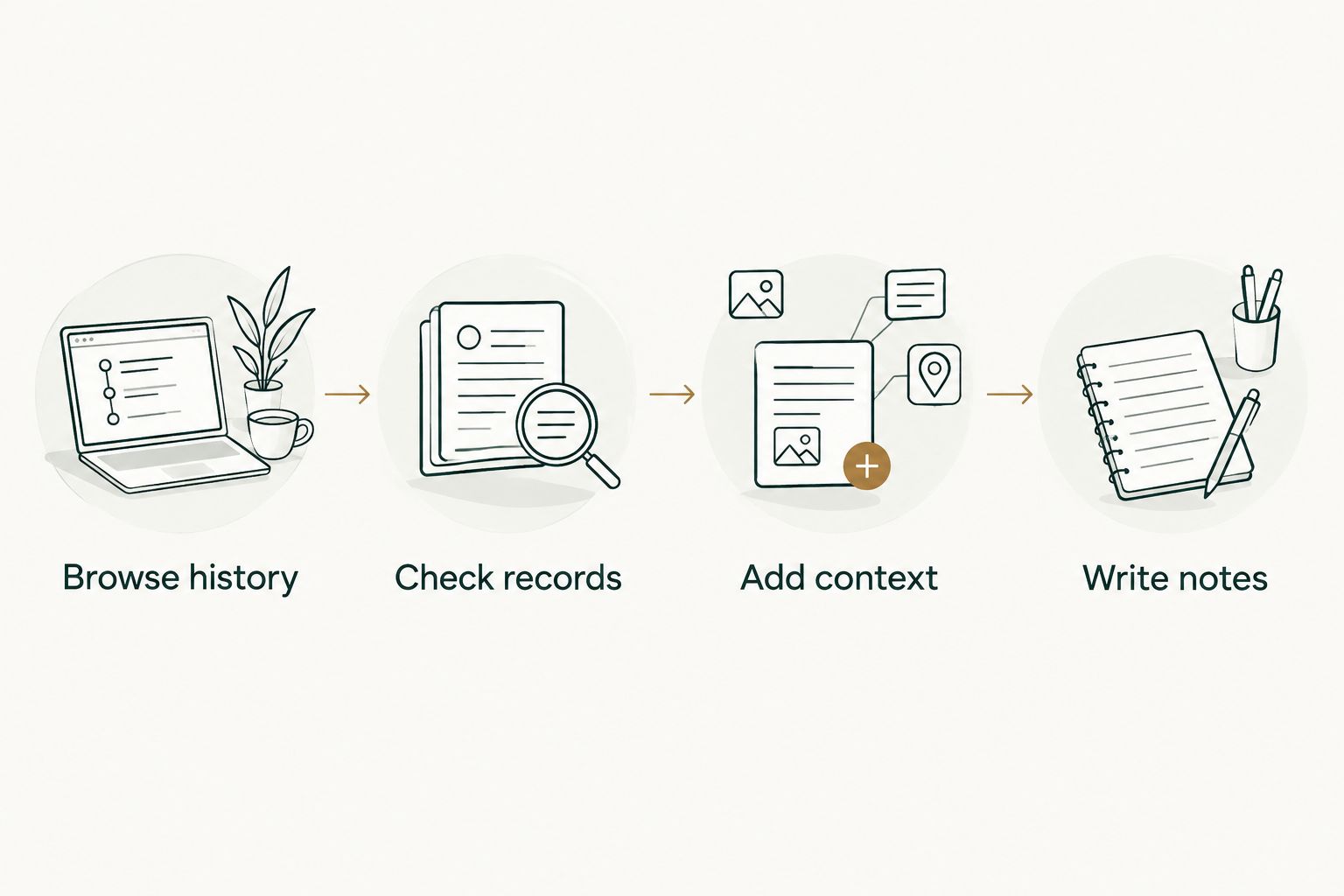
A useful note distinguishes the record from the interpretation. The merge is the record; your explanation of the problem, decisions, and outcome supplies the context. Keep that separation when several small pull requests belong to one larger piece of work.
A second workflow: organization and personal history
Use the same monthly process for separate contribution contexts. This is useful when your employment review concerns organization work while your job-search preparation also includes personal repositories.
Start with the organization scope and chosen month. Write the review notes relevant to that work, then switch to the personal repository scope and review the same period separately. Label each set of notes so you do not accidentally present personal work as employer work.
The choice between repeated monthly browsing and an occasional GitHub search depends on the task:
| Workflow | Best for | Advantage | Limitation |
|---|---|---|---|
| Pull Tally monthly history | Individual developers revisiting merged work across review periods | Browse and summarize by month, organization, or personal repository | Signing in alone does not connect private organization repositories; counts still need context |
| GitHub search | A specific pull request check or occasional monthly lookup | Specify author, merged status, date range, and repository in a query | You must maintain the query and assemble review notes yourself |
Use monthly browsing for repeated history review; use GitHub search for a targeted check. Neither workflow turns a merged pull request count into a measure of developer quality.
This second workflow does not require treating personal and organization contributions as one combined score. Keep them separate when they serve different audiences or have different confidentiality requirements.
Troubleshooting
The wrong account is signed in
Check the GitHub identity used during authentication against the author of your reference pull request. Sign out and repeat the sign-in flow with the intended account if they differ.
A correct repository name is not enough. If you are reviewing authored pull requests, the author account must match too.
A private organization repository is missing
Do not assume signing in connected it. Check the organization's permission requirements and confirm that the repository is included in the scope you can access.
Do not broaden permissions blindly to make a result appear. Resolve the access question with the appropriate organization contact before relying on the history as complete.
A merged pull request is missing from the selected month
Check its merge date in GitHub, not its creation date. Then compare its author and repository with your selected account and scope.
A pull request opened in one month and merged in another belongs to the merge month when you are reviewing merged work. Adjust the period only after checking the original record.
The GitHub search and monthly tally disagree
Make the comparison like-for-like: same author, merged status, dates, and repository or organization. Remove unrelated search filters and check which specific records differ.
A total alone cannot explain the mismatch. Compare identifiable pull requests before changing your review notes or describing either result as complete.
A pull request title does not explain the achievement
Read the original record and add the surrounding project context yourself. If you cannot support an outcome claim, describe the change you made without inventing an impact metric.
A history tool helps recover the evidence. It does not replace your knowledge of why the work mattered.
Customize your workflow
Build the review routine around the document you need to produce. For a performance review, keep monthly notes grouped by project or responsibility. For a job search, select examples you can discuss without exposing private organization information.
Keep each note small: the period, repository scope, relevant pull requests, and your explanation of the contribution. This preserves the path back to the source without turning your notes into a copied repository history.
For a longer-running record, follow the brag documents for software engineers guide. Use it to organize evidence throughout the review period rather than reconstructing every project at the deadline.
For the rest of 2026, repeat the same account, scope, and merge-date checks whenever you review another month. Consistency makes separate periods comparable without pretending that every pull request represents equal effort or value.
FAQ
How do I connect my GitHub account to Pull Tally?
Start the GitHub sign-in flow from the homepage and authenticate with the account that authored the pull requests you want to review. Read any authorization request, then check a known merged pull request in the relevant monthly and repository scope.
Does signing in connect my private organization repositories?
No. Signing in alone does not connect private organization repositories. Treat organization access as a separate permission question and follow your organization's approval rules.
Can the tool change my GitHub pull requests?
The stated access is read-only access to pull request metadata. That supports browsing and summaries rather than editing pull requests; read the authorization request before accepting it.
What data is used for the monthly history?
The workflow uses merged GitHub pull request metadata to support browsing and summaries by month, organization, or personal repository. Use the original GitHub record when you need more context about a particular change.
Why is a pull request missing from my monthly history?
Check its merge date, author account, repository scope, and access first. A pull request created in one month but merged in another belongs to the merge month when reviewing merged work.
Is GitHub search enough for an occasional lookup?
Yes, GitHub search is useful for an occasional merged pull request lookup. Filter by author, merged status, date range, and repository or organization, then inspect the records relevant to your question.
Can I use a merged pull request count as a productivity score?
No. A merged pull request count records merges within a scope and period, not developer quality or the value of each change. Use the records as evidence and explain your contribution separately.
One last thing
Before writing your first review summary, verify one pull request you remember well. Check its author, repository, and merge date against the history you are browsing.
That single reference record gives you a practical setup check. If it belongs in the selected scope but is absent, investigate before building a narrative from the remaining results.