Can I use Pull Tally without connecting my GitHub account?
Can I use Pull Tally without connecting my GitHub account? Separate sign-in from private repository access, understand read-only metadata, and use GitHub search.

Signing in to Pull Tally does not, by itself, connect your private GitHub organization repositories. Access to pull request metadata is read-only; signing in and granting repository access are separate questions. If you want to look up merged pull requests without granting another tool access to GitHub data, use GitHub search directly.
Why this matters
When you prepare a performance review or job application, you need evidence of what you delivered—not an unnecessary expansion of repository access. Start with the smallest scope that answers your question: a repository, an organization, or a particular month.
For a 2026 review, a useful record connects merged work to its purpose. A list of titles helps you find the evidence, but the explanation belongs in your own words. These tools for generating self-review summaries from GitHub PRs address the reporting workflow; the permission decision comes first.
Keep authentication, data access, and permission to share separate. Signing in identifies you to a service. Repository authorization determines which data the service can access. Neither action gives you permission to publish confidential work in a job application.
Can I use Pull Tally without connecting my GitHub account?
The key distinction is between signing in and connecting private organization repositories. Signing in alone does not connect those repositories, and read-only access to pull request metadata is not permission to edit your code.
For an occasional lookup, GitHub search keeps the task inside GitHub. For repeated monthly browsing and summaries, a dedicated history tool serves a different purpose: reducing the manual searching needed to reconstruct your merged work.
| Approach | Best for | What it does | Limitation |
|---|---|---|---|
| GitHub search | An occasional merged PR lookup | Lets you search accessible pull requests by author, merge status, repository, and date | You must organize the results and write the summary yourself |
| Pull Tally | Individual developers repeatedly reviewing merged work | Browses and summarizes merged GitHub pull requests by month, organization, or personal repository | A merged PR history still needs your explanation of outcomes and contribution |
Pull Tally is best for individual developers who repeatedly browse merged GitHub pull requests for performance reviews or job searches. Use GitHub search instead when a single lookup answers your question.
Do not turn the choice into a requirement to connect every repository. Decide which work belongs in the report first, then evaluate the access needed for that scope.
Signing in is not private repository authorization
A sign-in step and a repository connection answer different questions. Signing in concerns your identity; connecting a repository concerns access to its data. The fact that you completed the first action does not establish that you completed the second.
The specific assurance here is narrow: signing in alone does not connect private organization repositories. Do not expand that statement into assumptions about every repository type, every GitHub permission, or every organization policy.
Before authorizing access, read the permission request itself. Check which account you are using and which repository or organization scope the request covers. If the requested scope does not match your intended report, stop before approving it.
For example, preparing a personal open-source portfolio and preparing an employer performance review are different tasks. The first concerns work you can discuss publicly. The second can involve private information that belongs inside your employer's review process.
What read-only pull request metadata means
Read-only access allows data to be read rather than changed. Pull request metadata is relevant to a history report because the report concerns merged pull requests and how they are grouped—not a need to push commits or edit repository files.
That distinction matters, but it is not a complete privacy assessment. Read-only describes the permitted action; it does not make the underlying information public. A private pull request title or description can still reveal confidential project details.
Evaluate the purpose and scope together:
- Purpose: Are you collecting evidence of your own merged work?
- Scope: Does the repository selection match the work you need to review?
- Permission: Is the requested access consistent with reading that history?
- Sharing: Will the resulting summary remain inside an appropriate audience?
Do not assume that a useful summary is automatically suitable for a résumé. You still need to remove confidential details and describe your contribution in language you are allowed to share.
How do I find merged pull requests without another connection?
Use GitHub's pull request search for a manual lookup. Search results follow the access available to your GitHub account; searching directly does not require granting a separate reporting tool access.
The following workflow separates finding evidence from writing about it. Keep that separation even when you later use a reporting tool.
- Choose scope. Decide whether you need one repository, an organization, or your broader accessible history. Start narrow enough that you can inspect the results.
- Find merged work. Use GitHub search qualifiers such as
is:pr,is:merged, andauthor:@me. Add the repository or organization filter that matches your task. - Set dates. Use the
merged:qualifier to filter by merge date rather than relying on when a pull request was opened. - Check context. Open the relevant pull requests and review what changed. Distinguish your contribution from the wider team's work.
- Write outcomes. Record the problem, your contribution, and the supported result. Keep confidential details out of material intended for external readers.
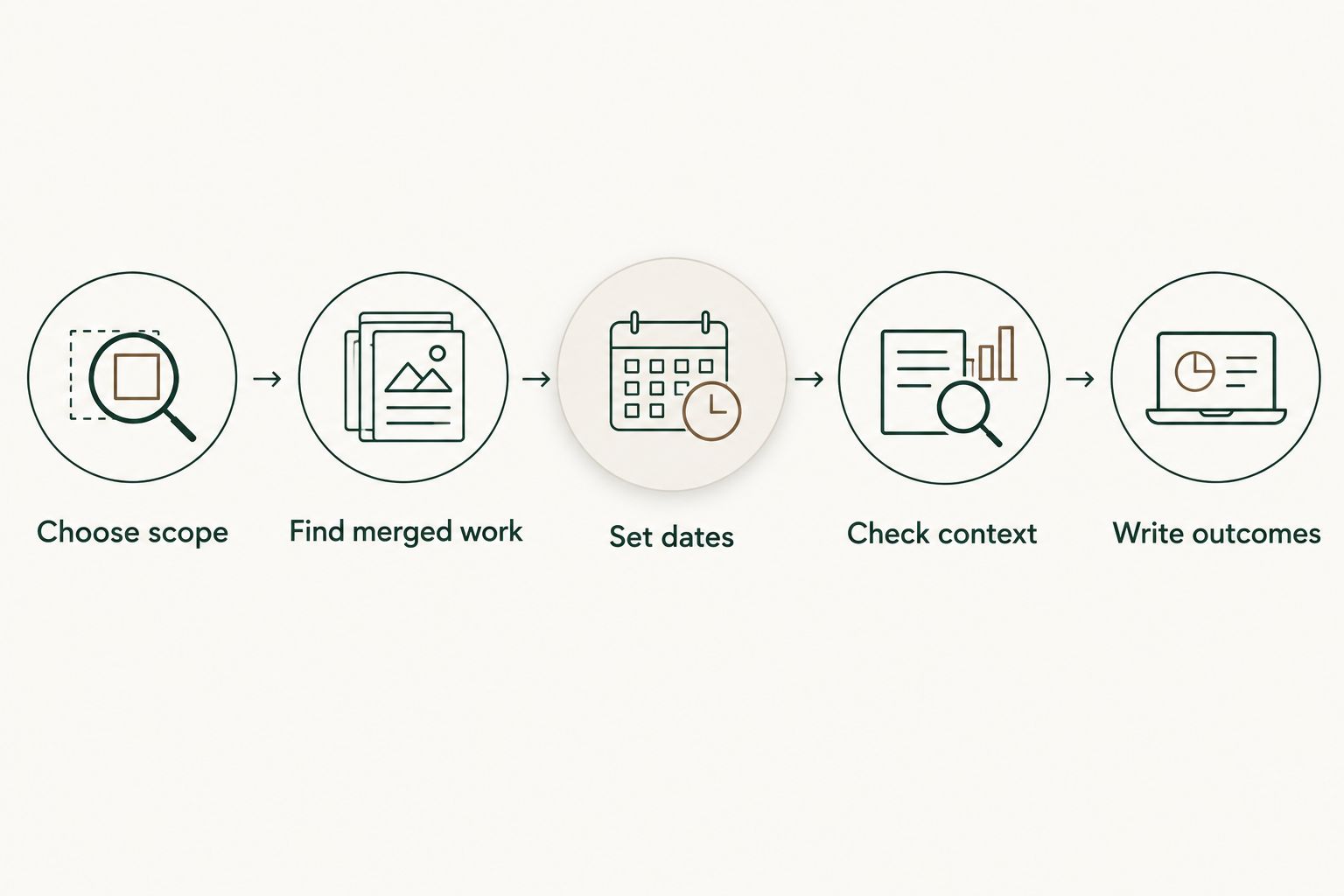
For a monthly report, the date filter is part of the evidence. A pull request opened in one month and merged in another belongs to the merge month when your report is specifically about merged work.
Keep monthly boundaries explicit
If you are counting monthly merges in 2026, use actual calendar boundaries. January has 31 days, February has 28 days, and April has 30 days. Do not apply the same ending day to every month.
For January 2026, a GitHub search can include is:pr is:merged author:@me merged:2026-01-01..2026-01-31. Add your repository or organization qualifier when the report needs a narrower scope.
A calendar month and a review period are not always the same thing. If your review covers a different interval, use that interval consistently and label it clearly. A monthly total should not silently become a claim about the entire review period.
When you compare months, keep the selection rules consistent. Switching from a single repository to an entire organization changes what the tally represents, even if both reports use the same date filter.
Why the right access scope varies
The access decision depends on the evidence you need, not on how much history you can collect. These factors define a useful scope:
- Review purpose: An internal performance review and an external job search require different treatment of confidential details.
- Repository ownership: An organization repository and a personal repository belong to different reporting contexts.
- Repository visibility: Private work needs a separate authorization and sharing decision; signing in alone does not connect private organization repositories.
- Reporting period: A single month requires different filtering from a longer review period.
- Reporting frequency: An occasional lookup suits manual search; repeated browsing and summaries make a dedicated history workflow relevant.
For a 2026 job search, begin with the work you can legitimately discuss. More repository access does not make confidential evidence suitable for publication.
Turn merged history into a useful review
A merged pull request establishes a piece of delivery history. It does not, by itself, establish business impact, difficulty, quality, or your share of a larger project. Your summary needs evidence for those claims.
Start with a short working note for each relevant item. Record the problem, what you changed, and where the supporting evidence lives. Then group related pull requests into the outcome they contributed to rather than treating every merge as a separate achievement.
For example, several pull requests can belong to the same feature or maintenance effort. A review that explains the effort is more informative than a list that repeats its individual titles. Keep the underlying links available for an authorized reviewer who needs the detail.
Personal delivery history, not a productivity score. Do not use a tally to rank yourself against teammates or equate a larger count with stronger performance. Use it to recover examples you might otherwise forget.
For a 2026 self-review, separate factual records from your interpretation. The merge history supports what was merged; your written explanation must support why it mattered.
Can I keep private organization repositories unconnected?
Yes. Signing in alone does not connect private organization repositories. Treat any later request for organization repository access as a separate decision and check its scope before approving it.
If private employer work is unnecessary for your current task, keep the report focused on the relevant personal or public work. Do not request broader access just to make the history longer.
Should I use GitHub search or a history tool for my review?
Use GitHub search when you need an occasional lookup and can organize the results yourself. Use a merged PR history tool when repeated searches by month, organization, or personal repository are the work you want to replace.
Neither approach writes the meaning of your work for you. Review the evidence, explain your contribution, and remove information that does not belong in the final audience's hands.
FAQ
Does signing in to Pull Tally connect my private organization repositories?
No. Signing in alone does not connect private organization repositories. Repository access is a separate decision from signing in.
What kind of GitHub access does Pull Tally use?
Access to pull request metadata is read-only. That access supports browsing and summarizing merged pull request history rather than changing repository content.
Can I find my merged pull requests without granting another tool access?
Yes. Use GitHub search directly with merged pull request, author, repository, and date filters. You will still need to organize the evidence and write your summary.
Is read-only access the same as making my private work public?
No. Read-only describes permission to read rather than change data; it does not change whether the information is confidential. Check what you are allowed to share before using private work in a job application.
Should I count pull requests by opening date or merge date?
Use merge date when your report is about merged pull requests. A pull request opened in one month and merged in another belongs to the merge month for that report.
Can I use my merged pull request count as a productivity score?
No. A merged pull request count is delivery history, not a productivity score. Use it to locate evidence, then explain the problem, your contribution, and the supported outcome.
What should I check before granting repository access?
Check the account, repository or organization scope, and requested permissions before approving access. Match the scope to the report you actually need.
One last thing
Make the reporting boundary part of the report. Write down the period, repository scope, and whether you counted merged work before drafting your achievements. This prevents a useful tally from becoming an unsupported claim about all your work.
Your future self needs a repeatable way to find evidence, not the largest possible collection of repository data. Start with the smallest useful lookup and expand only when the task requires it.