How do I calculate my GitHub contribution stats manually?
Calculate GitHub contribution stats manually with separate PR, issue, and review counts. Use date filters and a spreadsheet to build clear performance-review evidence.

Calculate your GitHub contribution stats manually by choosing a date range, searching each contribution type separately, and recording the results in a spreadsheet. For merged pull requests, filter by your authorship and merge date, then tally each repository-and-PR-number pair once. Keep commits, issues, and reviews separate: they measure different actions, and the contribution calendar is not a merged-PR total.
Why this matters
A performance review needs evidence of your work, not just a total. A merged pull request can point to a shipped fix or feature, but its count alone does not describe scope, difficulty, or the result for users.
Start with the question you need to answer. For a 2026 review, that might be which changes you delivered during the review period. For a job search, it might be which public contributions demonstrate relevant experience. Keep those examples in a brag document for software engineers so you do not have to reconstruct their context later.
Treat contribution counts as an index to your evidence, not a rating of your ability. You can use the index to find useful examples without claiming that every contribution carries equal weight.
How do I calculate my GitHub contribution stats manually?
Use GitHub search to establish separate totals, then record enough detail to reproduce them. For delivery history, start with authored pull requests that actually merged. Add other contribution types only when they answer a specific review question.
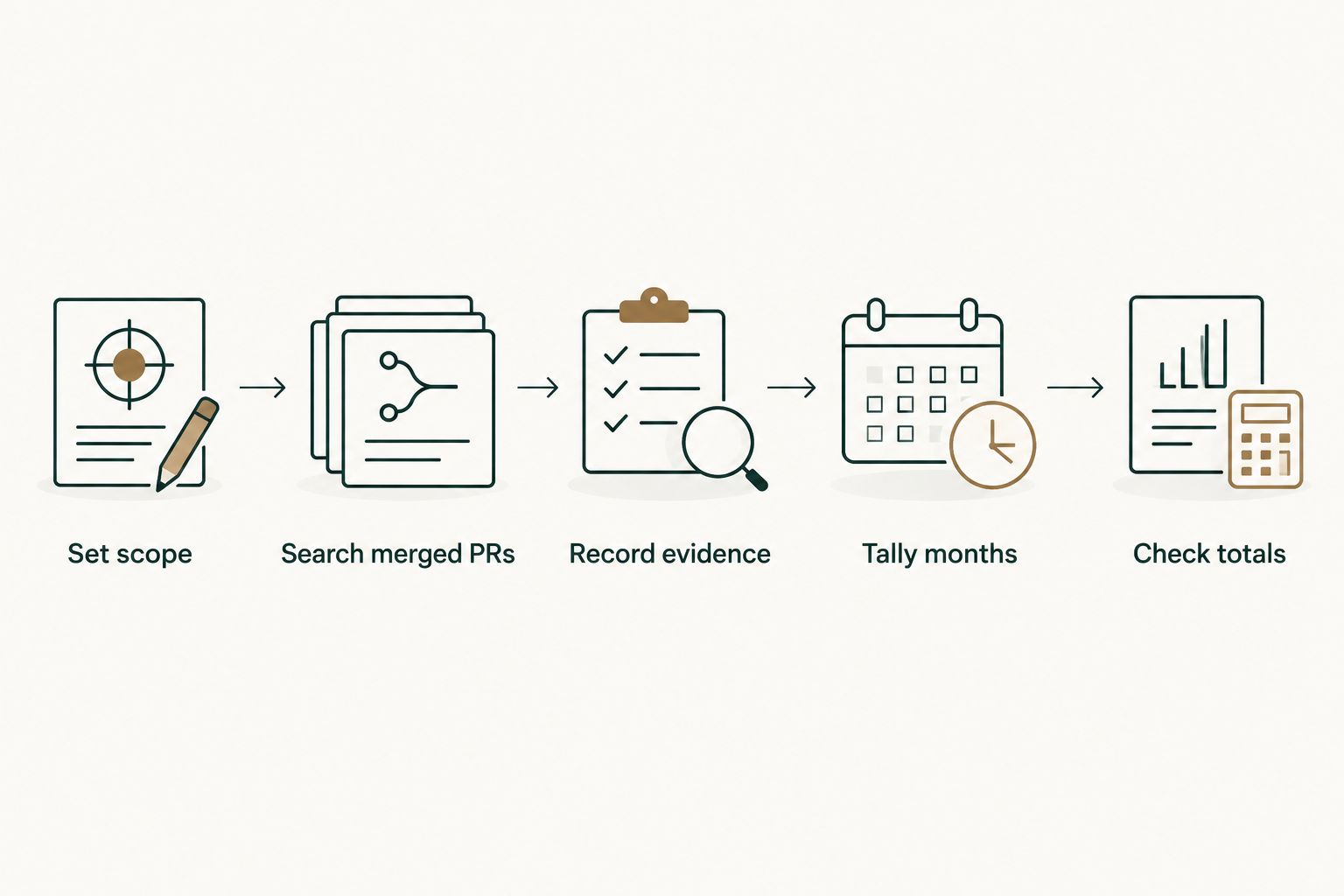
1. Set scope
Write down your GitHub username, reporting period, and included repositories or organizations before searching. Specify whether you want public work, private work you can currently access, or both. Your search cannot establish a complete history for repositories you cannot access.
Choose the relevant date for each metric:
| Contribution type | Date to use | What the total means | What it does not establish |
|---|---|---|---|
| Authored merged pull requests | Merge date | Your authored PRs merged during the period | Their impact or every commit you wrote |
| Authored issues | Creation date | Issues you opened during the period | Issues you resolved |
| Reviewed pull requests | Review date | Distinct PRs you reviewed during the period | The number of individual review submissions |
| Commits | Explicitly stated commit-date basis | Commits matching your attribution and scope | A comparable measure of delivered changes |
An annual report spans 12 calendar months. Keep the same scope across those months; otherwise, a change in repository coverage can look like a change in your work.
2. Search merged PRs
In GitHub's pull request search, replace YOUR_USERNAME with your login:
is:pr is:merged author:YOUR_USERNAME merged:2026-01-01..2026-01-31
This query selects authored pull requests merged during January 2026. January has 31 calendar days, and both endpoints belong to the reporting month. The merged: filter matters: a PR created earlier but merged in January belongs in January's delivery history.
For one repository, add its owner and name:
is:pr is:merged author:YOUR_USERNAME repo:OWNER/REPOSITORY merged:2026-01-01..2026-01-31
For an organization, use its organization login:
is:pr is:merged author:YOUR_USERNAME org:ORGANIZATION merged:2026-01-01..2026-01-31
These placeholders are search values you replace, not additional filters. Copy the result count into your sheet, then inspect the matching PRs before treating that count as your final total. Check authorship, repository, and merge date rather than relying on the title alone.
3. Record evidence
Create a ledger with columns for repository, PR number, title, merge date, reporting month, work category, and an outcome note. Retain the PR reference in your own spreadsheet so you can return to the evidence.
Use the repository plus PR number as the identity of a pull request. PR numbers are local to a repository, so the number alone is not a safe deduplication key across your account.
Keep the outcome note factual. State what changed, which behavior the PR addressed, and what evidence supports the result. If a PR only establishes that a change merged, describe the change without adding an unverified business outcome.
4. Tally months
Repeat the query for each month using non-overlapping date ranges. February 2026 has 28 calendar days, so its range is:
is:pr is:merged author:YOUR_USERNAME merged:2026-02-01..2026-02-28
Group the ledger by reporting month and count its unique PR identities. A spreadsheet pivot table can group rows by month and repository; remove duplicate identities before counting rows.
Use the same date basis throughout. Mixing creation dates and merge dates moves work between months and makes the resulting trend difficult to interpret. Record late-merged work in its merge month when the metric is delivery history.
5. Check totals
Run a search for the complete reporting period and compare it with the sum of your monthly totals. For a complete calendar-year report, the range is:
is:pr is:merged author:YOUR_USERNAME merged:2026-01-01..2026-12-31
Only report a full-year result after that period has finished. For a year-to-date report, end the query on your reporting cutoff and label it accordingly.
If the annual and monthly totals differ, inspect the ledger for overlapping ranges, duplicate rows, omitted repositories, or inconsistent filters. Resolve those differences before using the count in a review. Save the queries beside the sheet so your method is reproducible.
How do I count issues, reviews, and commits separately?
Merged PRs are only one part of your contribution history. Use additional categories to describe relevant work, but do not add their totals together and call the result delivered changes. An issue, a review, and a commit can all relate to the same PR.
Issues you opened
Search for issues you authored during the reporting period:
is:issue author:YOUR_USERNAME created:2026-01-01..2026-01-31
Add the same repository or organization scope used in your other searches. This measures issues opened, including issues that remain open. Adding is:closed selects currently closed issues; it does not establish that you personally resolved them.
For a review, inspect the issue discussion and linked changes before describing your role. Reporting a bug, investigating it, and implementing its fix are different contributions. Your note should identify the work you actually did.
Pull requests you reviewed
Use the reviewer qualifier to find candidate PRs:
is:pr reviewed-by:YOUR_USERNAME
Then inspect your review submissions and their dates. Restricting this search by created: or merged: filters the PR's dates, not the date on which you submitted your review.
If your ledger counts distinct reviewed PRs, record each repository-and-PR identity once for the reporting period. If you count individual review submissions instead, label that metric explicitly. A PR can contain multiple submissions from the same reviewer, so these totals are not interchangeable.
Commits attributed to you
Choose the repository scope and explain what your commit count includes before collecting it. GitHub profile contribution counts apply eligibility rules; repository commit history answers a different question.
For profile contributions, commit attribution depends on an email address associated with your GitHub account, and qualifying commits generally need to reach the default branch or the gh-pages branch. Fork work has additional eligibility conditions. Do not interpret a missing calendar contribution as proof that a commit never existed.
A PR can contain several commits, while squash merging changes how that work appears in the destination branch. Do not use commit count as a substitute for merged-PR count. State which history you counted and keep that method consistent.
When should I use GitHub search or Pull Tally?
Manual GitHub search is best for an occasional lookup when you want to inspect the filters and matching PRs directly. Its limitation is the repeated work: rerunning monthly queries, copying results, and maintaining the same scope in your ledger.
Pull Tally is best for individual developers who repeatedly summarize merged GitHub pull requests for reviews or job searches. It lets you browse and summarize merged PRs by month, organization, or personal repository. It replaces repeated searching for that specific history, not the explanation of what your work achieved.
| Option | Best for | Useful capability | Limitation |
|---|---|---|---|
| GitHub search | Occasional manual lookups | Explicit authorship, status, scope, and date filters | You maintain the monthly ledger and check duplicates yourself |
| Pull Tally | Repeated merged-PR summaries | Browsing and summarizing merged PRs by month and repository scope | Merged-PR history is not a complete account of engineering work or impact |
Neither option turns a count into a productivity score. You still need to identify representative changes, explain your role, and separate documented outcomes from assumptions.
What access does the tool need?
Pull Tally uses read-only access to pull request metadata to support browsing and summarizing merged PR history. Signing in alone does not connect private organization repositories.
Treat private organization access as a separate permission decision, not an automatic consequence of login. For a manual workflow, search only repositories you are authorized to access. Read-only access does not make confidential PR titles or descriptions appropriate to share outside your organization.
Why do my GitHub contribution totals vary?
Different totals often describe different sets of activity. Compare the definitions before comparing the numbers:
- Contribution type: The profile calendar includes qualifying activity beyond merged PRs; an authored merged-PR search selects only that category.
- Date basis: Creation date, merge date, and review submission date place activity in different reporting periods.
- Repository scope: An organization-only query excludes personal repositories and other organizations.
- Access and visibility: Your current access affects which private repositories you can inspect; a public profile does not expose private work details.
- Counting unit: Distinct PRs, individual review submissions, and commits are different units, even when they concern the same change.
- Attribution rules: Profile commit contributions depend on GitHub's attribution and eligibility requirements, not simply the presence of a commit in any branch.
For your 2026 review, put the metric definition beside the total. A label such as authored merged PRs in the selected organization, grouped by merge month, is more useful than an unexplained contribution count.
Can I just use the green squares on my GitHub profile?
Use the contribution calendar for a broad activity overview, not an exact merged-PR report. It combines qualifying contribution types and applies GitHub's contribution rules.
For delivery evidence, search authored merged PRs separately and inspect the changes behind them. A calendar total cannot tell your reviewer which fixes or features you delivered.
Should I count pull requests that were closed without merging?
Exclude closed-but-unmerged PRs from a merged-PR total. is:merged makes that distinction explicit.
You can discuss useful investigation or a rejected approach separately if it belongs in your review. Label it accurately rather than presenting it as a merged change.
How do I turn these stats into a performance-review summary?
Select representative merged PRs, group them by the problem they addressed, and write a short explanation of your role and the documented result. Use counts to locate evidence, not to replace it.
Include work that PR totals miss, such as design decisions or mentoring, when you have supporting examples. Keep private implementation details within the audience authorized to see them.
FAQ
What's the simplest way to calculate my GitHub contribution stats manually?
Choose a reporting period, run separate searches for each contribution type, and record matching items in a spreadsheet. For merged PRs, use is:pr, is:merged, author:YOUR_USERNAME, and a merged date range.
How do I count only my merged pull requests?
Use is:pr is:merged author:YOUR_USERNAME and add the reporting period with merged:. Add repo:OWNER/REPOSITORY or org:ORGANIZATION when you need a narrower scope.
Should I group pull requests by creation date or merge date?
Group by merge date when you are reporting merged delivery history. Creation date answers when you opened the work, so mixing the dates changes the meaning of your monthly totals.
Does reviewed-by count every review I submitted?
No. reviewed-by finds matching pull requests, not a count of individual review submissions. Inspect review dates and state whether your metric counts distinct reviewed PRs or separate submissions.
Why is my GitHub calendar count different from my merged-PR count?
The calendar includes qualifying contribution types beyond merged PRs and applies contribution eligibility rules. A merged-PR search counts a narrower set of activity with its own scope and date filters.
Does signing in to Pull Tally connect my private organization repositories?
No. Signing in alone does not connect private organization repositories. Access is read-only and concerns pull request metadata for browsing and summarizing merged PR history.
Can I use these counts as a productivity score?
No. Contribution counts describe recorded activity, not difficulty, impact, or engineering quality. Use personal delivery history to find evidence and explain the work behind it.
One last thing
Save the query definition alongside the total, not just the number. Include the username, scope, date filter, cutoff, and counting unit. That small habit lets you reproduce the report instead of guessing why a later search returns something different.
Before using a PR in a job application, check whether its title and description disclose private information. You can explain the problem, your approach, and the documented outcome without copying confidential repository details into a public document.