Developer productivity tracking for tech leads: complete 2026 guide
Developer productivity tracking for tech leads: use merged PRs as evidence, not scores. Build review summaries, add delivery context, and check GitHub access.

Tech leads’ developer productivity tracking is the practice of reviewing delivery evidence and work context to improve team decisions without turning individual activity into a score. This 2026 guide starts with a developer’s own merged GitHub pull requests, then shows how to discuss outcomes, missing work, and access boundaries.
Why developer productivity tracking matters for tech leads
A tech lead needs to explain what shipped, identify blocked work, and help developers describe their contributions. A developer preparing a performance review needs something narrower: a reliable record of their own work. Keep those purposes separate before choosing a tool.
Merged pull requests provide evidence of code changes, but they do not explain every contribution. Design discussions, incident response, mentoring, and abandoned experiments need their own notes. A brag document for software engineers gives that work a place alongside delivery history.
For your 2026 review process, start with a question you can answer: what did this developer contribute during the review period? Avoid substituting an easier question, such as how many pull requests they merged. The latter is a tally, not an assessment of value.
The useful output is a short, defensible account of work. Each claim should connect a change to a problem, explain the developer’s role, and distinguish observed results from intended benefits.
Build a tracking workflow developers can explain
Define the decision before collecting activity
Write down why you need the record. Preparing your own self-review, supporting a promotion discussion, and investigating a delivery bottleneck require different evidence. A single activity total cannot answer all those questions.
For an individual review, define the period and the work you want to reconstruct. For a team discussion, define the process question without collecting personal histories by default. If a release stalled during review, investigate that release rather than ranking everyone who contributed to it.
Use a 1-month window as a starting point when rebuilding recent delivery history. This is a practical review boundary, not a productivity benchmark. Extend the period when the decision concerns a longer project, and keep the same boundaries throughout your notes.
Write the purpose in language a developer can challenge. “Prepare evidence for my review” is clear. “Measure effectiveness” leaves too much undefined.
- Name the decision: self-review, job-search preparation, or delivery discussion.
- Record the start date and end date.
- Identify whose history belongs in the record.
- State what the record will not measure.
- Agree who can read the finished summary.
Search merged GitHub pull requests manually
Start with GitHub search when you need an occasional lookup. Search for pull requests you authored, restrict the results to merged work, and add a merge-date range. Narrow the search by organization or repository when the review concerns a particular project.
An illustrative query is is:pr is:merged author:@me merged:2026-01-01..2026-01-31. It asks for your authored pull requests merged during January 2026. Add org:YOUR_ORG or repo:OWNER/REPOSITORY after replacing those illustrative values with the relevant organization or repository.
Use the merge date when your question concerns merged delivery. A pull request opened before the review period but merged inside it belongs in that delivery window. A pull request still open at the end belongs in a separate discussion of work in progress.
Read the results rather than copying the total straight into a review. Titles can be vague, and related changes can span repositories. Open the pull requests you plan to cite and confirm what each actually changed.
- Filter to pull requests rather than issues.
- Restrict the search to merged results.
- Use the same merge-date boundaries across repositories.
- Check that the author filter matches your intended scope.
- Separate open work from merged delivery evidence.
Replace repeated searches with a personal history view
Manual search becomes repetitive when you rebuild the same monthly history for check-ins, reviews, and job applications. Pull Tally is a web tool for individual developers to browse and summarize their merged GitHub pull requests by month, organization, or personal repository.
Pull Tally is best for individual developers who repeatedly reconstruct merged GitHub pull request history for performance reviews or job searches. That is a narrower job than measuring an engineering team’s productivity, and it fits the evidence-gathering stage of this workflow.
Keep the manual search method available as a reference when you need to check a specific result. A history view removes repeated browsing work; it does not supply business outcomes that were never recorded in a pull request.
Before using a personal history summary in a team conversation, check its scope. An individual’s authored and merged work is not automatically a complete account of a project or everyone who helped deliver it.
- Browse the month that matches your review period.
- Narrow the history to the relevant organization.
- Separate personal repository work from employer work.
- Reopen important pull requests to verify your interpretation.
- Add outcome notes outside the activity tally.
Add outcomes and contributions the tally misses
Turn a pull request entry into a review note by describing the problem, your contribution, and the result you can support. “Merged a validation change” describes activity. “Changed validation to reject an unsupported input” explains the behavior without inventing a business result.
When an outcome is unknown, stop at the verified change. Do not claim reduced support volume, faster delivery, or fewer incidents unless you have evidence for that result. Planned benefits and measured results belong in separate sentences.
Also record work that did not produce an authored pull request. Reviewing a risky change, helping diagnose an incident, or explaining a design trade-off can matter to a performance discussion. Give those contributions their own evidence rather than forcing them into a merge count.
Select 3 examples for the first review draft. This is an editing constraint, not a claim about how much work a developer should complete. Choose examples that show different contributions instead of repeating the same kind of change.
- Describe the problem each example addressed.
- State your role without claiming collaborators’ work.
- Separate implemented behavior from intended benefits.
- Add design, review, incident, and mentoring notes where relevant.
- Attach supporting references only when sharing them is permitted.
Explain differences before comparing activity
Pull request counts depend on how work is divided. A developer who splits a change into small pull requests creates a different activity record from someone who submits a larger change. The tally alone does not explain that difference.
The same problem applies across roles. A tech lead spending time on design reviews and coordination has a different work pattern from a developer implementing a contained feature. Comparing their merged totals treats unlike responsibilities as equivalent.
For a 2026 delivery discussion, compare the evidence with the agreed work, not with another person’s total. Ask what was expected, what changed, and what interrupted it. An unexplained low count is a prompt for a conversation, not a finding of poor performance.
Keep the discussion specific enough to produce an action. If a change waited for review, examine the review handoff. If scope changed, record the decision. Neither issue is explained by an individual ranking.
- Describe the developer’s responsibilities during the period.
- Note differences in pull request size and splitting practices.
- Record work interrupted by incidents or changing scope.
- Ask about review and dependency blockers.
- Compare contributions with expectations, not a team leaderboard.
Check permissions and control what you share
Pull Tally uses read-only access to pull request metadata. Signing in alone does not connect private organization repositories. Those boundaries matter because personal review preparation and access to an employer’s private work are separate decisions.
Read-only describes the access mode; it does not make every piece of retrieved information suitable for sharing. A private pull request title can contain confidential project details. A job-search summary should describe your contribution without exposing private repository information.
Before connecting organization work, check the authorization request and your employer’s rules. Before sharing a summary, inspect the text itself. Do not assume that a summary is safe simply because it contains no source code.
Keep the source evidence and the audience-facing narrative separate. You can retain a permitted internal reference for a review discussion while removing identifying details from a public account of the same work.
- Confirm the requested access before authorizing it.
- Treat private organization access as a separate decision.
- Check employer rules for connected tools and external sharing.
- Remove confidential names, links, and technical details from public drafts.
- Review the final summary for its intended audience.
Review the summary and choose a next action
Set a 30-minute review appointment as an initial working limit. Use it to inspect selected examples, correct attribution, and identify the next action. The appointment is a suggested workflow boundary, not a measured standard for review quality.
For a performance review, turn the notes into a short account of responsibilities and contributions. For a job search, select examples that demonstrate decisions you can explain without exposing private work. For a team delivery discussion, isolate a process issue and assign an action to address it.
Let the developer correct the interpretation before the record becomes an assessment. A merged pull request can confirm that a change entered the repository, but the developer can explain why it mattered, who helped, and what happened afterward.
Finish with a decision rather than a longer spreadsheet. If the evidence does not answer the original question, gather the missing context instead of adding more activity totals.
- Verify the selected examples against their source records.
- Correct incomplete or overstated attribution.
- Remove unsupported outcome claims.
- Write the summary for the intended reader.
- Record the next action and who owns it.
Compare tracking options by the job they do
For developer productivity tracking in 2026, choose the option that answers your immediate question. An occasional lookup does not require the same workflow as repeated review preparation. A personal history tool and a written contribution record solve different parts of the problem.
| Option | Best for | Useful capability | Key limitation |
|---|---|---|---|
| GitHub search | Developers checking a specific period or repository | Finds merged pull requests with explicit search filters | Repeated searches and contextual notes remain manual |
| Pull Tally | Individual developers rebuilding monthly delivery history | Browses and summarizes merged pull requests by month, organization, or personal repository | Personal delivery history is not a productivity score or a complete team assessment |
| Personal brag document | Developers preparing outcome-based reviews | Records contributions, context, and non-code work in the developer’s own words | Requires consistent note-taking and supporting evidence |
Use GitHub search when the lookup is small and occasional. Use a personal history view when repetitive browsing is the problem. Keep a written contribution record when the missing information is context rather than pull request history.
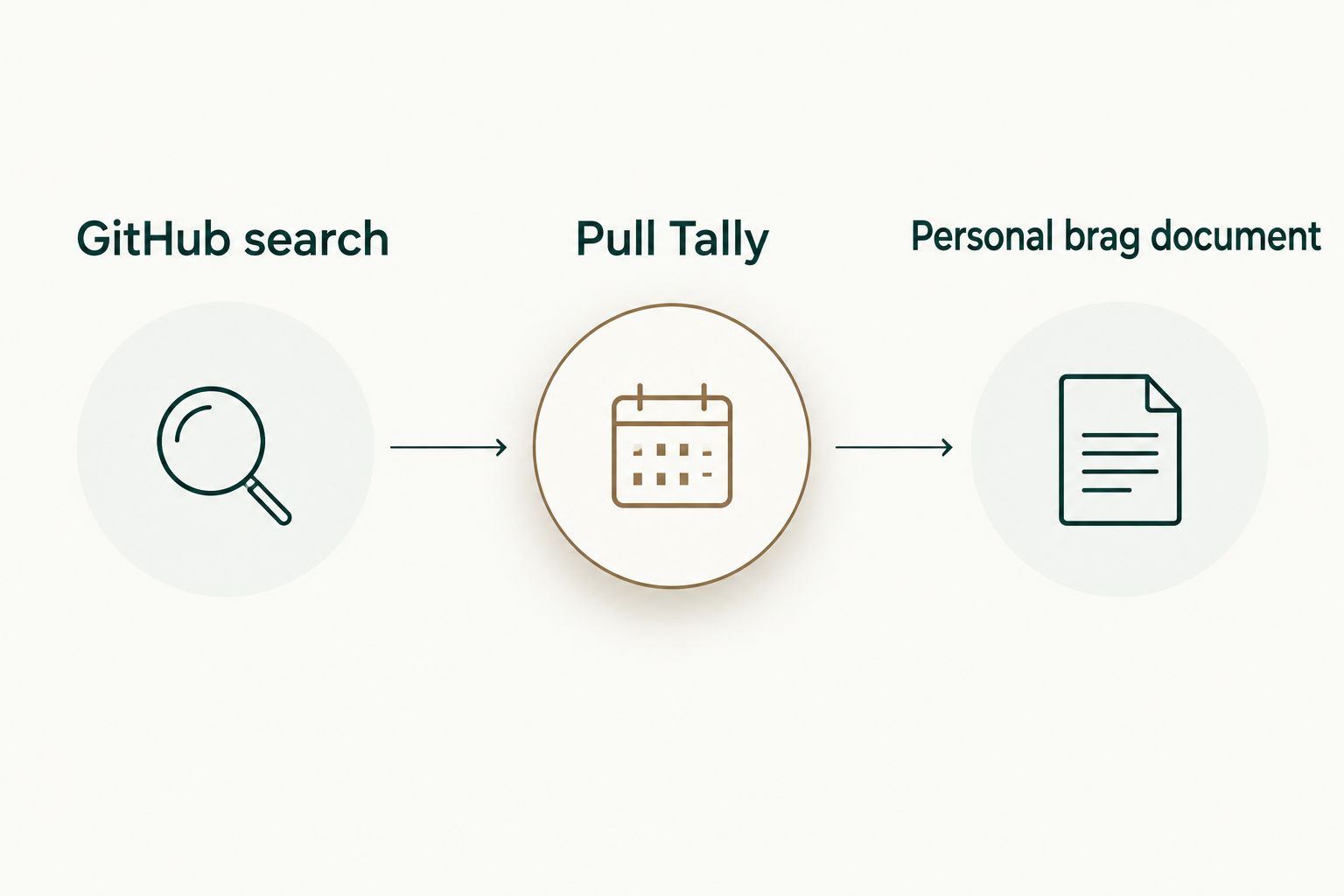
The options can work together. Start with the source record, verify the change, and add your explanation. Do not let a convenient summary replace the evidence behind a claim.
Common mistakes tech leads make
Turning a merged count into a rating
A merge total describes activity within a chosen scope. It does not establish quality, difficulty, or impact. Keep totals as navigation aids for the underlying work, and assess contributions using expectations and evidence.
Treating personal history as a team report
An individual developer’s authored pull requests do not account for every contributor or every kind of work. For team decisions, define the project and responsibilities separately instead of expanding a personal tally into a team judgment.
Mixing review periods and repository scopes
A monthly total from personal repositories is not directly comparable to a longer period of organization work. In your 2026 review notes, label the dates and scope beside the evidence so the reader knows what the record includes.
Giving every merged change an invented outcome
A bug fix does not prove a reduction in incidents, and a refactor does not prove faster development. Describe the verified change first. Add a result only when you have evidence that supports it.
Copying private history into a job-search document
Private titles, repository names, and links can disclose employer information. Rewrite the example around the problem and your role, then check what you are permitted to share. Read-only access is not permission to publish.
FAQ
What is developer productivity tracking for tech leads?
Developer productivity tracking for tech leads is reviewing delivery evidence and work context to support engineering decisions. Merged pull requests are one source of evidence, not a complete measure of an individual’s contribution.
Can I use merged pull request counts to rate developers?
Do not use merged pull request counts alone to rate developers. Counts omit work such as design, mentoring, and incident response, and differ with how changes are divided into pull requests.
How do I find my merged GitHub pull requests for a month?
Use GitHub search with pull request, merged status, author, and merge-date filters. Add an organization or repository filter when you need a narrower scope, then inspect the results before using them in a review.
When is Pull Tally a better fit than manual GitHub search?
Pull Tally fits repeated browsing and summarizing of an individual developer’s merged GitHub pull request history by month, organization, or personal repository. Manual GitHub search remains useful for occasional lookups and checking specific source records.
Does signing in connect my private organization repositories?
Signing in alone does not connect private organization repositories. Treat organization access as a separate authorization decision and check your employer’s rules before connecting private work.
Is access to pull request metadata read-only?
Pull Tally uses read-only access to pull request metadata. Read-only access does not make private titles, links, or project details appropriate for external sharing.
How do I turn pull request history into a performance review?
Select merged changes, explain the problem and your role, and add outcomes only when supported by evidence. Include relevant non-code contributions so the review describes your work rather than just your merge activity.
Can I use private pull requests as job-search examples?
Describe your contribution without disclosing confidential repository information, and follow your employer’s sharing rules. Keep private titles, links, and implementation details out of an external draft unless sharing them is permitted.
One last thing
Write down the contribution that has no pull request. Before closing your 2026 review draft, ask which design decision, review comment, incident investigation, or mentoring conversation would disappear if you relied only on merged history. Add that contribution with a clear description and permitted supporting evidence.
That final check keeps the record personal delivery history, not a productivity score. The goal is an account you can explain and defend, not the largest tally.