Best DORA metrics tools for small engineering teams 2026
The best DORA metrics tools for small engineering teams: choose GitLab for GitLab workflows, DevLake for cross-tool data, and keep PR counts out of DORA.

Best overall for a GitLab-based team: GitLab. Best for combining data across tools: Apache DevLake. Best for managed engineering reporting: LinearB. The best DORA metrics tools for small engineering teams in 2026 connect production deployments to changes and failures; merged pull request counts alone do not qualify.
Why this matters
A small engineering team needs a useful answer to a practical question: where does delivery slow down or become unreliable? A dashboard cannot answer that question if it mistakes every merge for a production deployment.
Individual developers have a different need when preparing performance reviews or job applications. They need to recover what they shipped, explain their contribution, and find supporting evidence. Pulltally helps you browse and summarize merged GitHub pull requests by month, organization, or personal repository. Pulltally is best for individual developers rebuilding their merged GitHub PR history, not teams measuring DORA performance.
Keep these workflows separate in 2026. Use delivery metrics to examine the delivery system; use personal delivery history to prepare examples of your work. Neither substitutes for an explanation of what changed and why it mattered.
What makes the best DORA metrics tools
This 2026 guide uses DORA’s software delivery performance framework as the category reference. The familiar measures cover deployment frequency, change lead time, change failure rate, and recovery after a failed deployment. Check each tool’s current terminology and calculation rules rather than assuming identical dashboard labels mean identical measurements.
Evaluate the following criteria before choosing a tool:
- Production deployment evidence: The tool needs a dependable record of production releases, not just merged pull requests or successful test builds.
- Change-to-deployment mapping: You should be able to connect a deployed change to its source history and inspect the timestamps used.
- Failure and recovery evidence: Define what makes a deployment a failure and what marks recovery. An incident ticket alone does not settle either question.
- Service boundaries: Separate independently deployed services so unrelated release patterns do not become one misleading average.
- Maintenance ownership: Someone must own connections, mappings, exceptions, and access. Self-managed software shifts that work to your team.
- Permissions and purpose: Request the access needed for reporting and explain who can see the results. Do not turn delivery metrics into individual rankings.
Choose the tool whose inputs you can explain. A smaller dashboard with traceable events is more useful than a larger dashboard built on unclear definitions.
DORA metrics tools at a glance
| Option | Best for | Standout approach | Key limitation |
|---|---|---|---|
| GitLab | Teams already managing delivery in GitLab | DORA reporting within the GitLab platform | Useful reporting depends on GitLab deployment and incident records |
| Apache DevLake | Teams combining delivery data across systems | Open-source engineering data integration and DORA dashboards | Your team owns setup and ongoing maintenance |
| LinearB | Teams seeking managed engineering reporting | DORA reporting within an engineering analytics platform | Validate metric definitions, integrations, and access before adopting |
| Pulltally | Individual developers preparing reviews or job searches | Browsing and summarizing merged GitHub PR history | Not a DORA measurement tool; PR merges do not establish production delivery |
The first three options address team delivery measurement. The final row is an adjacent workflow, included to prevent a common purchasing mistake: choosing a personal PR-history tool when you actually need deployment and incident reporting.
1. GitLab: best DORA metrics tool for GitLab-based teams
GitLab provides DORA metrics reporting within its development platform. For a team already using GitLab to manage repositories and delivery, it is the first option to evaluate because the reporting can draw on records within the same system.
Start with your actual production deployment workflow. Inspect whether the deployment records represent releases reaching production, then check how incidents and recovery are recorded. A successful pipeline that only builds an artifact is not evidence that users received the change.
GitLab pros
- Keeps delivery reporting close to the GitLab workflows your team already uses.
- Provides DORA reporting without requiring a separate analytics stack as the starting point.
- Gives a GitLab-based team a direct way to investigate the underlying delivery records.
GitLab cons
- Reporting is less straightforward when deployment or incident evidence lives outside GitLab.
- Missing or inconsistent deployment records still produce incomplete measurements.
- You need to confirm which DORA capabilities your intended GitLab configuration includes.
Best for: A small team whose code, production deployment records, and relevant incident workflow already live in GitLab.
For example, take a recent release and follow it from the source change to the production deployment record. Then inspect a failed release and the evidence of recovery. If you cannot follow those paths, correct the event recording before presenting a trend to the team.
Do not migrate your development workflow solely to obtain a chart. GitLab wins this slot because of workflow fit, not because every small team should consolidate around it.
Verdict: Buy into GitLab DORA reporting when GitLab already contains your delivery evidence; otherwise, hold until the reporting path is clear.
2. Apache DevLake: best DORA metrics tool for cross-tool data
Apache DevLake is an open-source engineering data platform that collects and organizes data from development systems. Its DORA reporting makes it an option for teams whose delivery evidence is spread across tools rather than contained in a single platform.
The advantage is control over how the reporting stack is assembled. The trade-off is ownership: your team needs to configure data collection, define the reporting scope, and maintain the system when upstream workflows change.
Apache DevLake pros
- Supports an engineering-data approach rather than treating a PR count as delivery performance.
- Provides an open-source foundation for DORA reporting.
- Fits teams that need to bring data from multiple development systems into one reporting workflow.
- Lets a technically capable team maintain its own reporting environment.
Apache DevLake cons
- Setup and ongoing maintenance become your responsibility.
- Cross-system mappings require attention, especially when repositories and deployed services do not match directly.
- Open-source access does not remove the work of securing credentials and operating the stack.
Best for: A small team with distributed delivery data and an engineer willing to own the reporting system.
Begin with one service whose deployment process you understand. Confirm that the required integrations cover your actual systems, then trace source changes, production releases, and failure events through the resulting data. Expand only after those records produce an explainable result.
DevLake is not the default choice for a team that wants no reporting infrastructure to maintain. The ability to customize a pipeline is useful only when someone has time to keep that pipeline correct.
Verdict: Buy into Apache DevLake when cross-tool reporting and self-managed ownership are deliberate choices; skip it when maintenance has no owner.
3. LinearB: best DORA metrics tool for managed reporting
LinearB is an engineering analytics platform that includes DORA reporting. It belongs on the shortlist when a team wants to evaluate a managed reporting product rather than build and operate its own engineering-data stack.
Treat the evaluation as a data-definition exercise, not a dashboard tour. Ask which events establish a production deployment, which timestamps define change lead time, and how failed deployments and recovery enter the calculation.
LinearB pros
- Offers DORA reporting as part of an engineering analytics product.
- Provides an alternative to operating a self-managed reporting stack.
- Supports an evaluation centered on delivery measurement rather than a custom dashboard build.
LinearB cons
- You still need to validate how the product maps your workflow to each metric.
- Managed reporting does not fix missing deployment or failure evidence.
- Integration coverage and requested permissions need checking against your specific environment.
Best for: A small team that wants managed engineering reporting and can supply dependable delivery records.
Bring a representative successful release and a failed release to the evaluation. Ask the vendor to explain how each appears in the report. If a measurement differs from your expectation, identify the event or definition behind the difference before accepting the dashboard.
Also separate team delivery reporting from individual evaluation. A person’s review load, assignment mix, or merge count does not explain the performance of a production delivery system. Keep that boundary explicit when deciding who sees the reports and how managers use them.
Verdict: Buy LinearB only after its reporting matches your deployment and recovery definitions; hold when the underlying calculations remain unclear.
When personal PR history is the right tool instead
Pulltally is a GitHub PR-history tool for individual developers, not a DORA metrics platform. It addresses the repetitive work of browsing and summarizing merged pull requests across months, organizations, and personal repositories.
For a performance review, start with merged work from the review period. Read the relevant PR descriptions, identify your contribution, and connect the work to an outcome you can support. A merge confirms an event in the repository; it does not prove a production deployment or a business result.
Pulltally pros: It organizes merged PR history around an individual developer’s workflow and replaces repetitive manual GitHub searching when you need recurring summaries.
Pulltally cons: It does not establish production deployment frequency, change failure rate, or recovery time. A merged PR summary also needs your explanation before it becomes useful review evidence.
Best for: Individual developers preparing performance reviews or job-search examples from merged GitHub work.
Access is read-only and concerns pull request metadata. Signing in alone does not connect private organization repositories. Personal delivery history is not a productivity score.
Verdict: Buy into this workflow for recurring personal history; skip it as a substitute for DORA reporting.
Set up a trustworthy reporting workflow
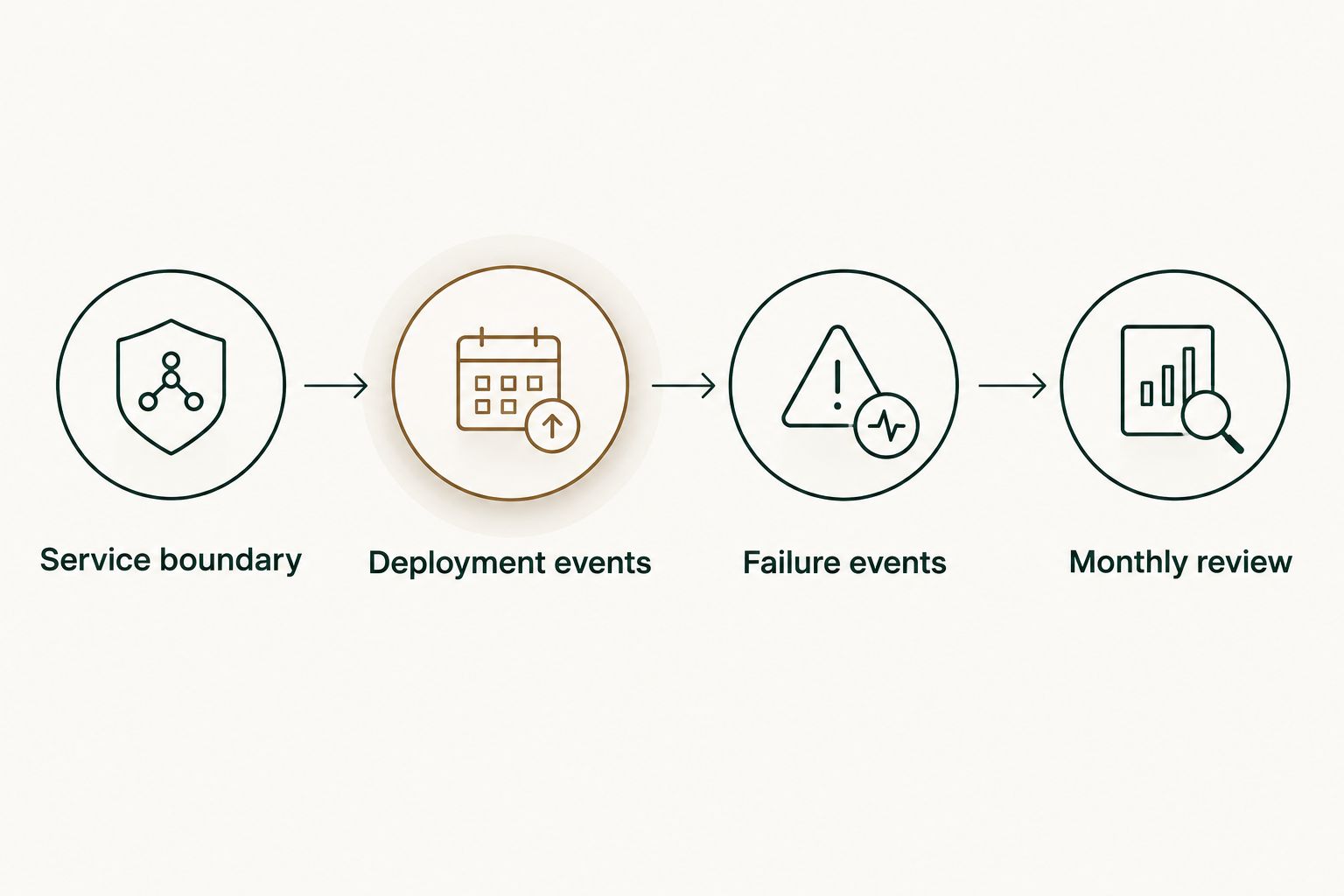
Before connecting a reporting tool in 2026, write down what the team intends to measure. Start narrowly enough that you can inspect the evidence without turning implementation into a separate engineering project.
Service boundary
Choose 1 production service for the initial reporting scope. Identify its repositories and deployment process, including whether several repositories contribute to the same release. This is a setup recommendation, not a benchmark for team size.
Deployment events
Record what counts as a production deployment. Exclude test runs and artifact builds that never reach production, and decide how your reporting treats rollbacks and redeployments. Keep that definition beside the dashboard.
Failure events
Define how a failed deployment is identified and what event establishes recovery. An incident’s creation, mitigation, and closure can represent different points in time. Select the event that matches the measurement rather than using whichever timestamp is easiest to collect.
Monthly review
Compare 2 consecutive monthly windows as a starting review habit, then inspect the releases behind any difference. A January 2026 window runs from January 1 through January 31 and covers 31 days; record the timezone so calendar boundaries remain consistent.
A month with fewer deployments is not automatically a worse month. Inspect release scope, service activity, and reliability evidence before drawing a conclusion. The point of the review is to identify a delivery constraint worth investigating, not to reward a bigger number.
How the tools are ranked
This ranking prioritizes workflow fit, production-event evidence, traceable definitions, and maintenance ownership. It is a selection guide, not a claim that these products were benchmarked against one another.
GitLab takes the default slot for teams already delivering through GitLab. Apache DevLake takes the cross-tool, self-managed slot. LinearB takes the managed reporting slot. Personal PR-history reporting stays outside the DORA ranking because it answers a different question.
Which DORA metrics tool should you choose?
For 2026, start with GitLab if your delivery evidence already lives there. Evaluate Apache DevLake when you need cross-tool data and want to own the reporting stack. Evaluate LinearB when you want managed reporting and can verify its calculations against real releases.
If you cannot yet identify production deployments and failed releases, fix that evidence first. Buying a reporting product does not create a reliable release history retroactively.
FAQ
What's the best DORA metrics tool for a small engineering team?
GitLab is the first option to evaluate when the team already manages delivery in GitLab. Apache DevLake fits cross-tool, self-managed reporting, while LinearB fits a managed reporting evaluation.
Can we calculate DORA metrics from merged GitHub pull requests?
Merged GitHub pull requests alone do not establish DORA metrics. You also need evidence of production deployments and failed-deployment recovery; a merge is not necessarily a release.
Is Apache DevLake better than GitLab for DORA reporting?
Apache DevLake fits teams combining data across systems, while GitLab fits teams whose delivery evidence already lives in GitLab. Choose according to data location and maintenance ownership rather than dashboard appearance.
Does a small team need a separate DORA platform?
A small team does not need a separate platform merely to begin examining delivery performance. Start with dependable deployment and failure records, then choose reporting software that makes those records easier to inspect.
Does Pulltally measure DORA performance?
Pulltally does not measure DORA performance. It helps individual developers browse and summarize merged GitHub pull requests by month, organization, or personal repository for personal delivery history.
Does signing in connect private organization repositories?
Signing in alone does not connect private organization repositories to the personal PR-history tool. Access is read-only and concerns pull request metadata; treat organization repository access as a separate permission decision.
Should DORA metrics be used in an individual performance review?
DORA metrics describe a delivery system, not an individual developer's productivity. For a personal review, use specific examples of work and supported outcomes rather than attributing a team delivery metric to one person.
One last thing
Before accepting any DORA dashboard, choose a release you remember and reconstruct it from the underlying events. If you cannot explain why that release appears in the chart, do not use the chart to judge the team.
For your own review, keep the same standard: a PR is supporting evidence, not the whole story. Add what you changed, why it mattered, and what outcome you can actually demonstrate.